If a Feishu or Lark document is configured to disable downloading, exporting, and printing, does that mean no user, AI agent, or third-party app can take its content out of the platform?
Not necessarily.
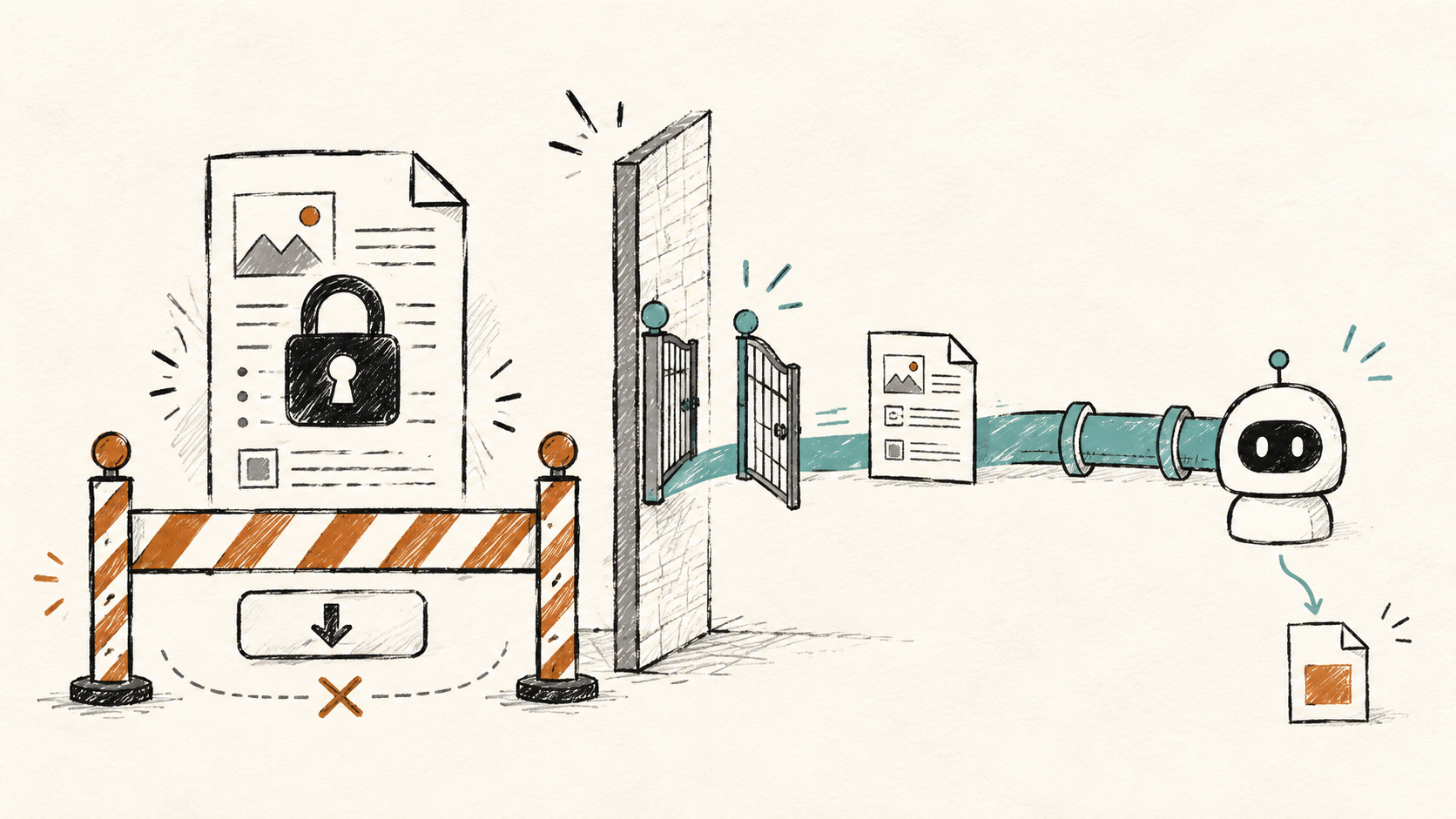
In an authorized enterprise test, the Feishu admin console’s permission validator clearly reported that a member was not allowed to download, export, or print a document. Yet the same member identity could still use Lark CLI to call the document export API and successfully export both a regular cloud document and a Base table.
The CLI did not perform any special bypass. It called public APIs. The real issue is that document membership, document security settings, application scopes, access credentials, and tenant security policies are separate authorization layers. If any layer still permits the action, document content may leave through another route.
This article covers the authorization model and defensive controls only. It does not disclose real document links, credentials, or tenant information. Behavior may vary by product version, plan, and tenant configuration, so validate it with synthetic documents in your own authorized environment.
The Short Answer: Disable Download Is Not a Global Kill Switch
The Feishu Help Center groups controls for copying content, creating copies, printing, and downloading under document security settings. That presentation creates a natural assumption: if the admin console says download is disabled, every path that produces a file should be blocked.
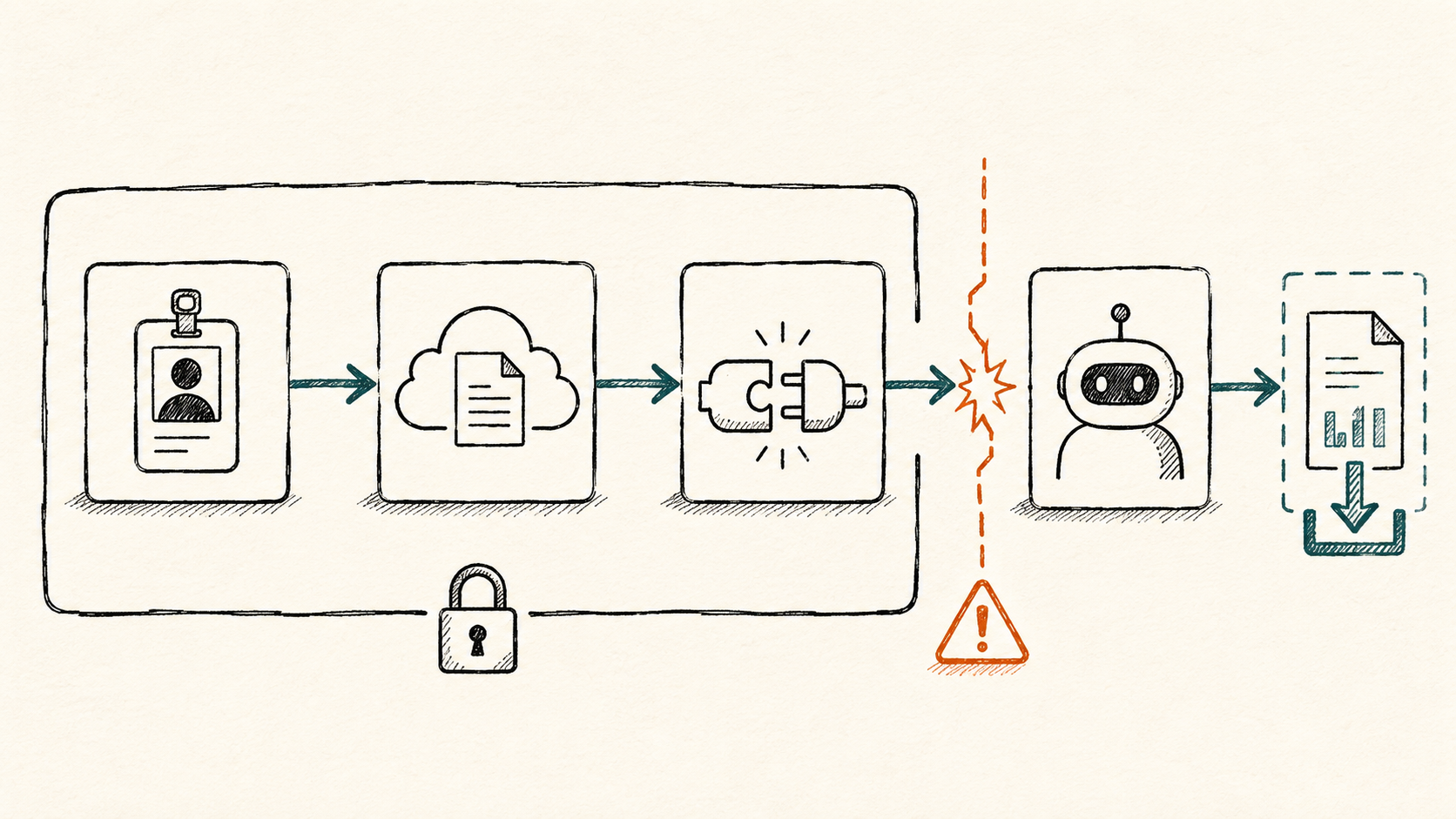
The Open Platform has a separate API authorization system. A cloud document request can depend on at least five layers:
| Authorization layer | What it controls | Common mistake |
|---|---|---|
| Document membership | Whether a user or app can read, edit, or manage the target document | Assuming read access only enables viewing |
| Document security settings | Whether web and desktop clients allow copying, duplication, printing, or downloading | Treating a UI restriction as a universal API policy |
| Application API scopes | Which Drive, Docs, Sheets, Base, and Wiki APIs an app may call | Assuming readonly means files cannot be downloaded |
| Access identity and data range | Whether the request uses a user_access_token or tenant_access_token, and which resources it can reach | Checking employee permissions but ignoring app identity and user consent |
| Tenant security policy | Whether DLP, classification, and Policy Center controls cover APIs and AI tools | Assuming client-side policy automatically propagates to OpenAPI |
You cannot determine whether “disable download” is effective from one admin-console result. The document, application, identity, endpoint, and tenant policy must be evaluated as one authorization chain.
How Feishu/Lark OpenAPI Exports a Cloud Document
Cloud document export is an asynchronous workflow rather than a single request:
- Call Create Export Task with the document token, resource type, and target file format, then receive a task ID.
- Call Get Export Task Result until the task finishes and returns an exported-file token.
- Call Download Exported File to save the generated Word, Excel, PDF, or CSV file.
Wiki URLs add another routing step. The /wiki/... value in a browser URL is a wiki node token, not necessarily the underlying document token. Before exporting, the client resolves the node’s obj_token and obj_type, then chooses an export format for that resource type.
The drive +inspect and drive +export shortcuts in Lark CLI simply package node resolution, task creation, polling, and file download into convenient commands. An SDK, MCP server, automation script, or AI agent can invoke the same Open Platform capabilities.
Test Results: Both docx and bitable Were Exported
We tested two wiki documents backed by different resource types to rule out a format-specific edge case:
| Test object | Underlying wiki type | Export format | Result |
|---|---|---|---|
| A requirements document | docx | Word (DOCX) | Successful, about 214 KB |
| An operations table | bitable | Excel (XLSX) | Successful, about 4.6 MB |
The test conditions were:
- The admin permission validator reported download, export, and print as denied for the member.
- The member had read access to the target documents.
- The Feishu app had scopes that allowed calls to the relevant cloud document APIs.
- The CLI called the APIs under that member’s user authorization.
- The export workflow returned no denial from the document’s disable-download policy.
These results do not prove that every Feishu tenant behaves the same way. They do prove that an enterprise should not infer OpenAPI behavior solely from the disable-download state shown in the web interface.
Why the UI and API Can Produce Different Results
1. Document access and content propagation are different decisions
Document membership answers whether an identity can access content. Downloading, exporting, copying, and creating a duplicate answer what that identity may do after access is granted.
The client presents these controls together, but OpenAPI also evaluates application scopes and access credentials. A hidden or disabled download button does not prove that the export endpoint evaluates the same policy.
2. readonly does not mean “cannot export”
This is the easiest configuration mistake to make.
Several current Feishu/Lark read-only scopes explicitly include download or export capabilities. For example:
drive:export:readonlyexists specifically to export cloud documents.drive:file:readonlyincludes viewing and downloading files from Drive.- Some read-only document and spreadsheet scopes are described as allowing users to view, comment, and export.
Therefore, replacing drive:drive with drive:drive:readonly is not a reliable export control. Administrators must inspect the full capability description and associated APIs for every scope instead of relying on the readonly suffix.
3. User identity and application identity create different boundaries
With a user_access_token, the application normally acts on behalf of an authorized employee and reaches resources visible to that employee. With a tenant_access_token, the request represents the application and can also depend on the app’s data range, resource ownership, and collaborator relationship.
The same export endpoint may return different results under these two identities. A valid investigation must record who authorized the app, which token type was used, who owns the document, whether the app is a collaborator, and whether tenant policies cover that identity.
4. Wiki URLs hide the underlying resource type
A /wiki/... link may point to a Doc, Sheet, Base, or another resource. Administrators see a single wiki surface, while the API processes different resource types and different scopes.
Testing one regular document is not enough. At minimum, validate docx, sheet, and bitable behavior before generalizing a result to the entire knowledge base.
5. API enforcement may depend on additional tenant controls
When we reported the behavior to Feishu support, we were told that applying document security policy to APIs requires capabilities associated with the Policy Center add-on.
Every organization should confirm this against its own Feishu/Lark plan and contract. The useful question is not “Did we disable downloads?” It is: Does our current policy cover user-identity APIs, app-identity APIs, AI assistants, MCP tools, and the export-task endpoints?
Why Agents, MCP, and an Enterprise Harness Amplify the Risk
Calling cloud document APIs used to require a developer. Today, Lark CLI, MCP tools, and AI agents make those APIs callable through natural language.
They do not create new permissions. They dramatically reduce the effort required to compose existing permissions:
- Resolve a wiki link and identify its underlying resource type.
- Select Word, Excel, PDF, or CSV based on the resource.
- Poll the asynchronous export task and retrieve the file.
- Send the file to email, cloud storage, another knowledge base, or another model.
- Complete the whole sequence without a user clicking each download step.
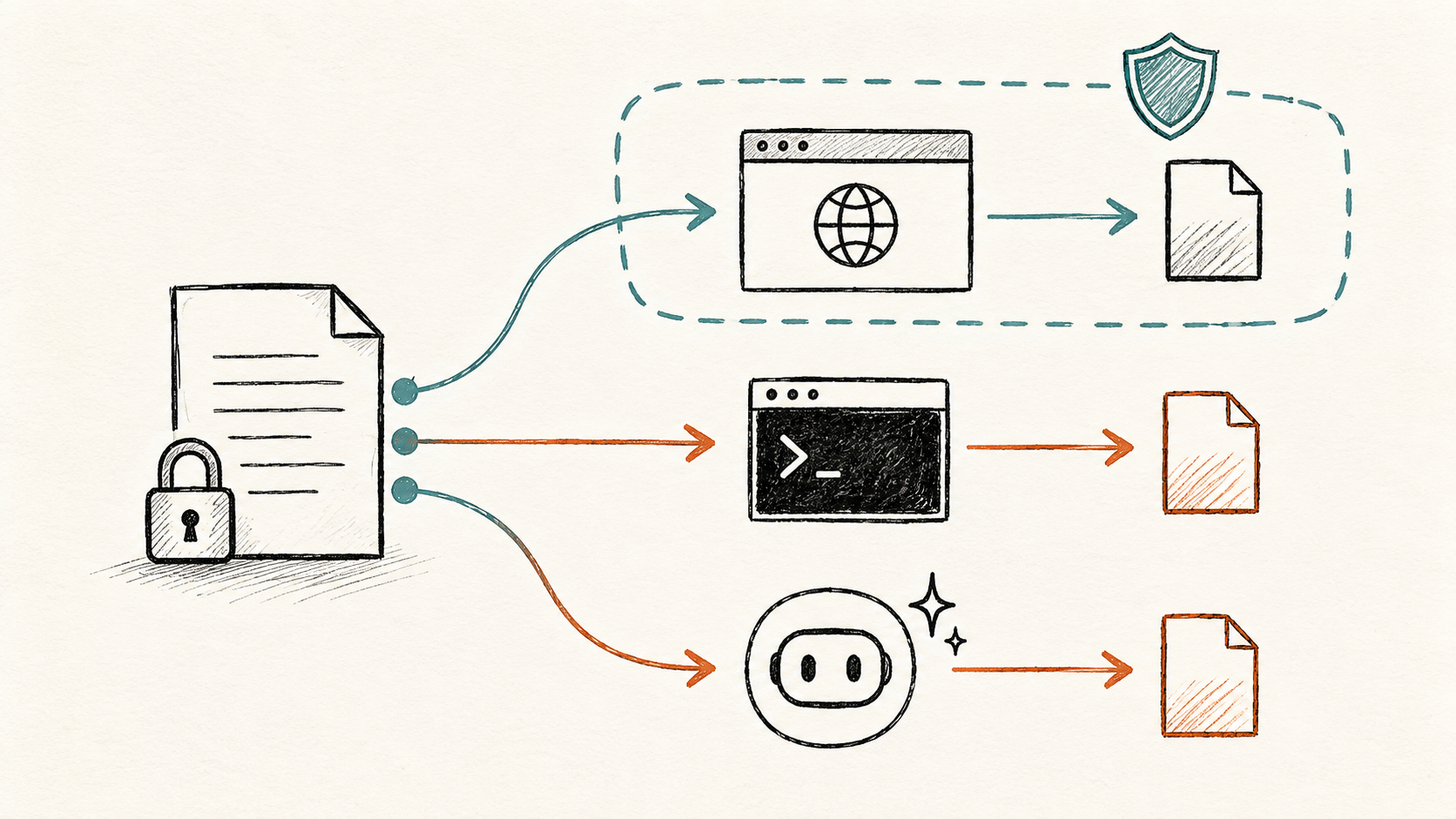
An enterprise Harness must therefore define more than what a model can read. It also needs to define:
- Which tools the current task may load.
- Which identity each tool may use.
- Which documents may only be read and which may become local files.
- Whether export, upload, messaging, or external sharing requires human approval.
- Where generated files are stored, how long they remain, and who can reopen them.
- What auditable evidence is written for every action.
In my Loop Engineering case study for a commercial product, I describe the Harness as the execution boundary for authority, verification, and recovery. This case adds an important implication: when a SaaS product’s UI policy and API policy do not align, the Harness must enforce its own tool and output gates.
Which Organizations Should Check Immediately
Do not treat disable download as a complete data-loss prevention control if several of these conditions apply:
- Contracts, financial data, HR data, customer records, source material, or operations data live in Feishu Docs or Wiki.
- OpenClaw, MCP, enterprise agents, RPA, or other AI workplace tools have been deployed.
- Employees have authorized third-party apps to access cloud documents.
- Internal apps hold Drive, Docs, Sheets, Base, or Wiki download/export scopes.
- The team cannot identify whether calls use user identity or application identity.
- Administrators reviewed document sharing settings but not app scopes and existing user grants.
- Exported files can be uploaded, emailed, messaged, or written to another storage system.
- There is no independent audit or alerting for API export activity.
How to Test Feishu/Lark Document Permissions Safely
Do not start with a real sensitive file. Create a test document containing synthetic data and validate it in this order:
- Disable download, export, and print for a test member, then record the admin permission-validator result.
- Record the member’s document role and the document’s own copy, download, and sharing settings.
- Export the relevant app’s scope list and flag every permission that mentions download, export, or file content.
- Record whether the call uses a
user_access_tokenortenant_access_token, plus the app’s data range. - Test Docs, Sheets, and Base separately to expose resource-specific behavior.
- Create an export task only inside a controlled environment, without sending the result to an external system.
- Revoke user authorization and app scopes, then retest to confirm whether existing tokens stop working immediately.
- Review Feishu audit logs, agent tool logs, and local file storage to verify that the entire path is traceable.
If the client blocks download while the API still creates and downloads an export artifact, the policy does not cover the full path.
Immediate Mitigation: Do Not Just Switch to readonly
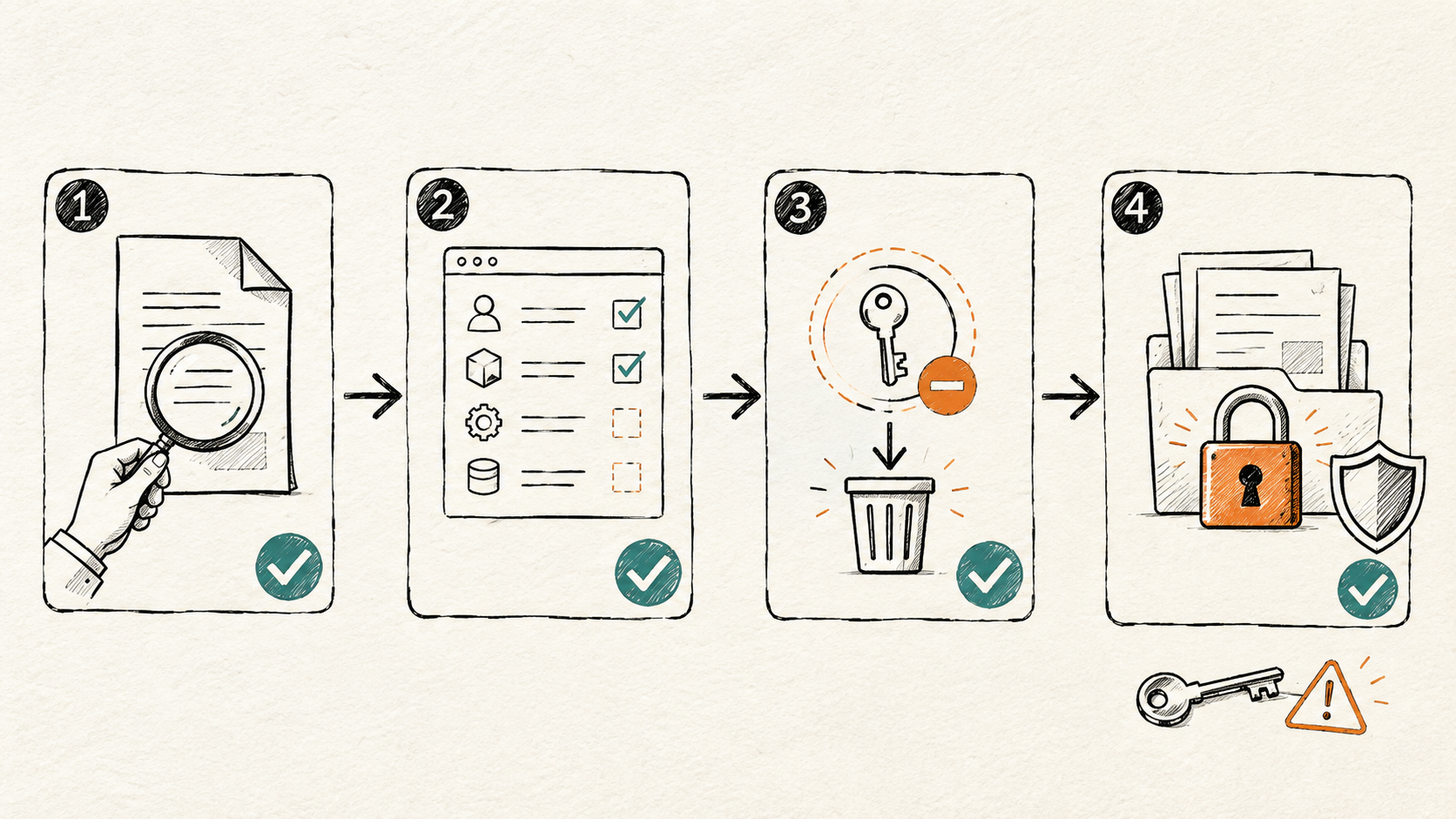
Actions for today
- Remove unnecessary export scopes. Review
drive:export:readonly,drive:file:readonly, and every document, spreadsheet, or Base permission whose description explicitly includes export. - Revoke existing user grants. Updating a future app version is not enough; verify that already issued user grants and tokens become invalid.
- Pause high-risk tools. Disable or add human approval to agent tools that create local files, upload cloud storage, send email, or post messages.
- Reduce sensitive-document visibility. An API cannot access a document the acting identity cannot see, so membership remains a direct containment boundary.
Actions for this week
- Create an app-scope inventory. Record the app owner, business purpose, token identity, data range, last use, and next review date.
- Separate reading from exporting. Do not let one default tool search, read, export, and transmit data.
- Add output gates to the Harness. File export, external messaging, and third-party uploads should be separate high-risk transitions.
- Verify Policy Center and DLP API coverage. Ask for exact endpoint and identity coverage rather than a generic claim that data-loss prevention is supported.
Make it a continuous control
Turn this scenario into an authorization regression test. Whenever the Feishu version, app scopes, agent tools, or tenant security policy changes, rerun the “read allowed, export denied” case. A security policy that is not continuously verified is only an assumption.
Seven Questions to Ask Feishu or Your Administrators
- Does disable download/export/print cover
/drive/v1/export_tasks? - Is enforcement identical for user-identity and app-identity requests?
- Which scopes can create export tasks, download export artifacts, or download attachments?
- Which
readonlyscopes still include download or export capabilities? - How quickly do existing tokens become invalid after an app permission or user grant is revoked?
- Which client, API, AI assistant, and MCP paths are covered by Policy Center, DLP, and document classification?
- Can administrators trace export-task creation, exported-file download, and subsequent transmission in audit logs?
If these questions do not have precise answers, the organization does not yet control all of its Feishu/Lark document exit paths.
AI Security Often Starts as Permission Engineering
“Downloads are disabled” is not a universal security conclusion. It is one setting in a larger authorization chain.
In the agent and MCP era, the effective boundary is the intersection of five layers: document membership, document security settings, application scopes, access identity, and tenant policy. If any layer still allows reading, export, or transmission, AI can compose those capabilities into a complete data path.
Inventory permissions before connecting tools. Verify the API before trusting the interface. That is much closer to the real work of enterprise AI security than debating whether the model itself is safe.