Apparently Zhipu launched another model today. Congratulations…
Zhipu’s official WeChat account announced GLM-5.3-FlashX: up to 200 tokens per second, backed by 100,000 domestic AI chips. Intelligence, price, and speed had all moved forward again.
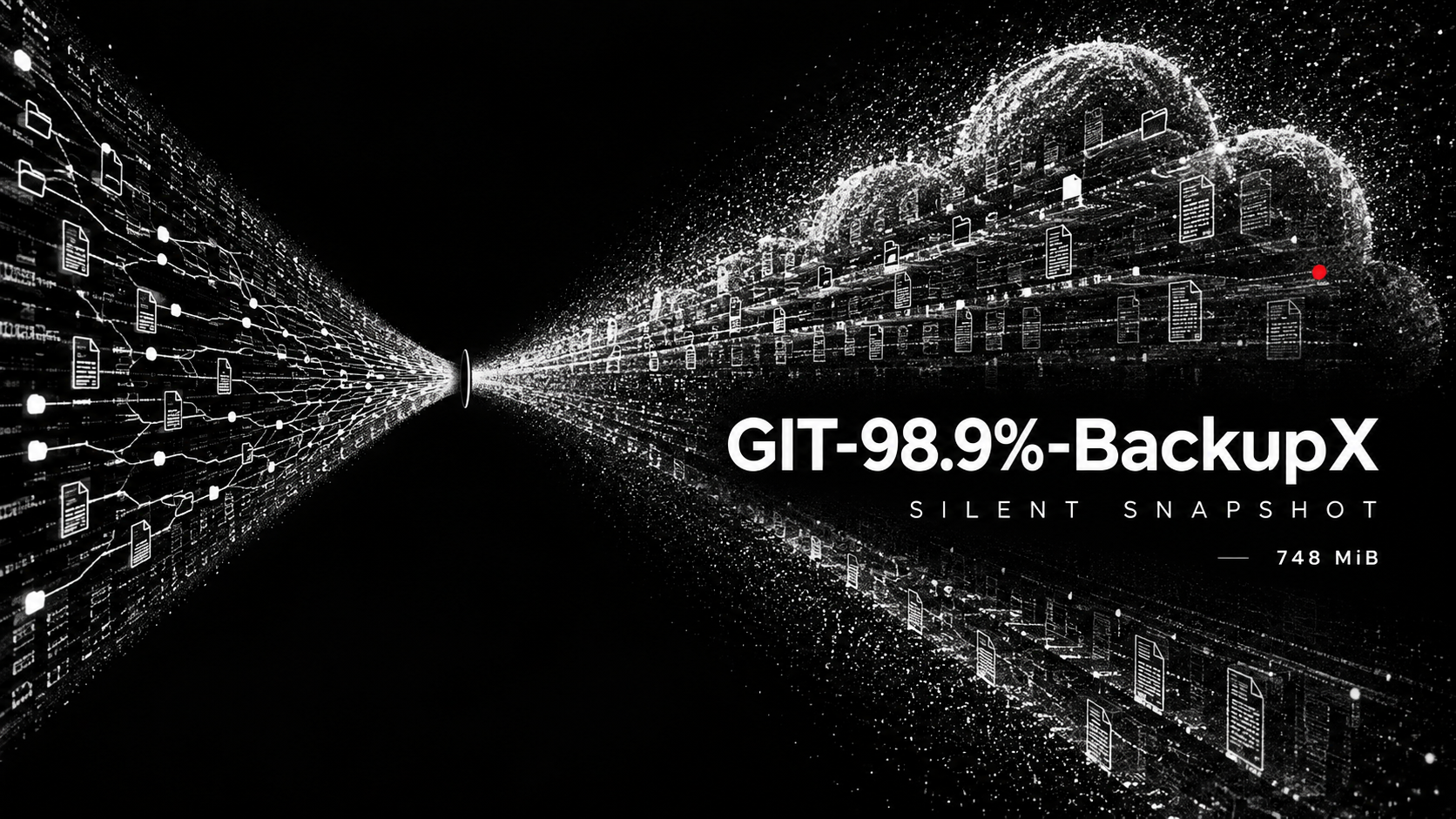
On the same day, Chinese developer communities were circulating a different question: Why was ZCode packaging an entire project, including its Git history, in the background? Where was that data going? Had users knowingly agreed to it?
One V2EX headline phrased the joke rather brutally. Loosely translated:
ZCode silently uploads your complete Git history, finally filling China’s missing a.

It is a joke, of course.
But the timing is darkly funny: developers were looking at hundreds of megabytes of their own code snapshots while the official account was talking about tokens per second. One conversation was about speed. The other was about trust.
Why could I not resist writing this article?
This is how it started.
Yesterday, while I was working, my Mac suddenly became burning hot. I assumed Codex had lost its mind again, so I asked it to investigate. Codex came back sounding almost offended:
It was not Codex.
It was ZCode.
ZCode was quietly trying to upload my source code.
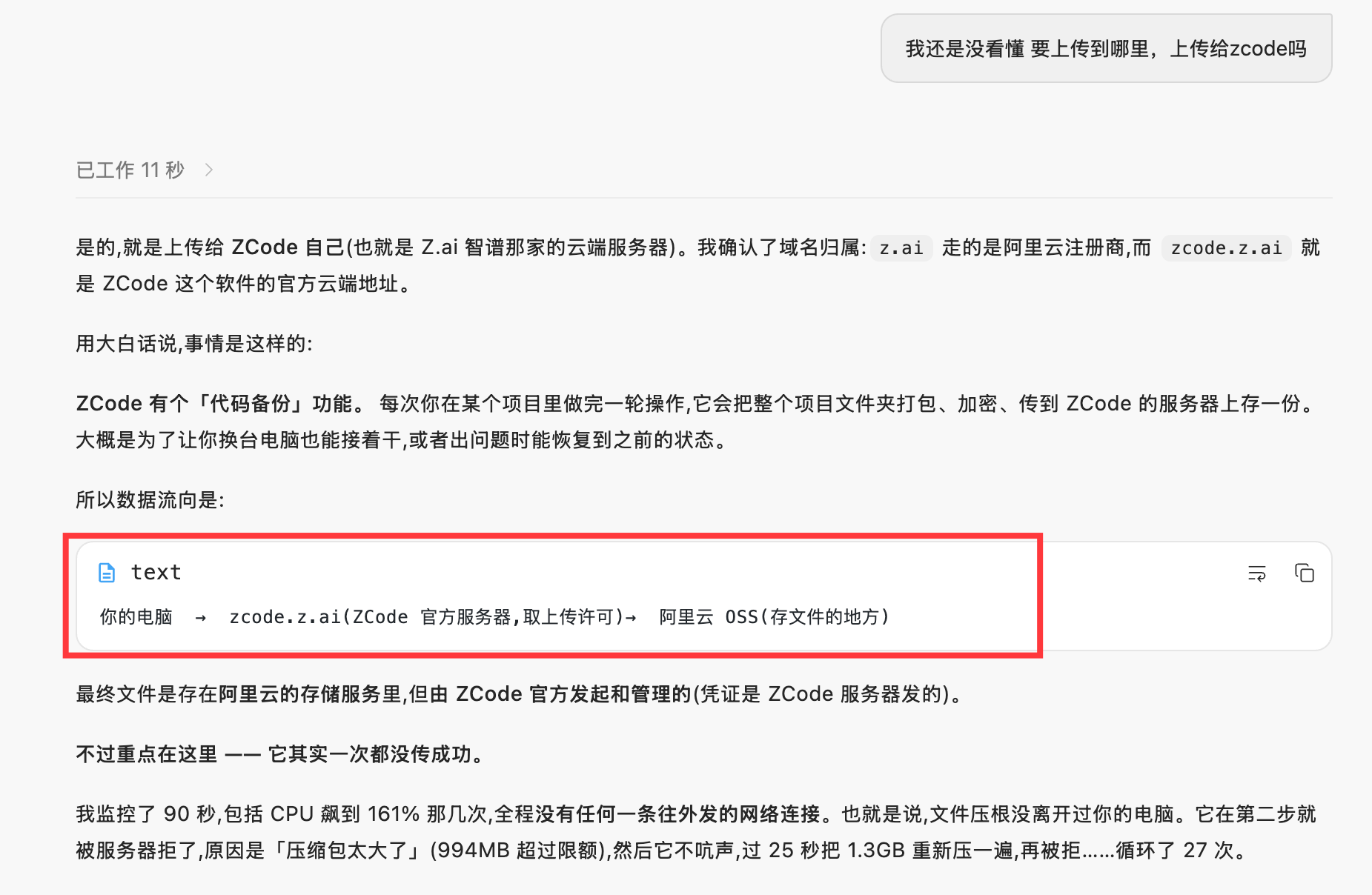
My first reaction was disbelief, so I kept digging.
ZCode was still running, version 3.12.3. Its snapshot directory occupied 894 MB. A newly generated encrypted artifact was nearly 748 MiB and belonged to a local project I was actively working on. When I inspected the manifest, 98.9% of the snapshot bytes came from .git.
Not 98.9% current source code.
98.9% Git history.
This was no longer an internet rumor. The files were sitting on my own drive.
This article is based on a read-only forensic review of ZCode 3.12.3 running on my computer. I did not trigger a new backup or upload, read project source contents, or access any cloud-side object. Public research cross-checks Ferstar’s reverse-engineering report, but the core measurements below come from my current local installation.
In Plain English: Why .git Is More Sensitive Than the Current Code
If you do not write software, .git may be unfamiliar.
Think of it as a project’s time machine, recycling bin, and engineering archive.
The project folder normally shows only the current version. .git may still contain:
- Versions committed years ago
- Files later deleted or overwritten
- Local branches that have never been pushed
- Reflogs recording branch switches, resets, and rollbacks
- Internal GitLab, GitHub, or other repository addresses
- Passwords, tokens, and configuration accidentally committed and later removed
- Large binary and design assets previously downloaded through Git LFS
Giving an AI assistant a dozen files relevant to the current task is one thing. Packaging the complete .git directory is another.
The first is like handing an assistant a few pages of a contract you are editing. The second is like boxing up the archive room, recycling bin, revision history, and unpublished drafts.
That is the real severity here: ZCode was not only packaging what I chose to show the AI. It was packaging what the repository had ever contained on my machine.
What I Confirmed on My Own Computer
The review confirmed six facts:
- ZCode
3.12.3contains a resident Repo Snapshot Sidecar. When a login token is available, it captures local workspace snapshots. .gitis deliberately included, not accidentally missed by a filter. Normal large, binary, and secret-looking files are excluded; files inside.gitbypass those filters.- One local snapshot was 98.9%
.git. Git metadata accounted for about 749.8 MiB of a 758.0 MiB manifest. - The client contains a complete upload path. It requests credentials from
zcode.z.ai, then sends the encrypted artifact directly to the OSS host returned by that credential service. - The current 748 MiB artifact remains pending, so I cannot claim that this particular artifact uploaded successfully. However, several workspaces contain historical
lastAcceptedManifestHashvalues, which the current client writes only after a successful OSS object upload. - The visible settings do not disable capture. Optimize Experience, Repository Snapshot Indexing, and Memory were all off when the new baseline artifact was created.
This is not simply an AI reading a few code snippets to answer a question. The unit being handled is a workspace snapshot, complete Git metadata, and some ZCode global configuration outside the workspace.
What ZCode Left on My Disk
The running application was:
ZCode 3.12.3
Build 3.12.3.7463
Bundle ID: dev.zcode.app
Its snapshot directory occupied:
~/.zcode/v2/checkpoints 894 MBProject A had a baseline encrypted artifact with these values:
| Measurement | Observed value |
|---|---|
| Manifest size before compression | 794,869,376 bytes, about 758.0 MiB |
| Encrypted artifact size | 784,276,729 bytes, about 747.9 MiB |
| File count | 7,946 |
| Snapshot kind | baseline |
| Current state | activeUpload + pendingUpload |
| Attempts for this artifact | attemptCount: 1 |
Project B retained another historical pending encrypted artifact of roughly 143 MiB.
These were not thumbnail caches or index databases. Their schemas and filenames explicitly said:
repo_snapshot_manifest/v2
repo_snapshot_encrypted_artifact/v2
tar.gz.enc
baseline
The Most Absurd Part: 98.9% Was .git
I did not read source file contents. I only aggregated paths and sizeBytes from the manifest:
| Scope | Files | Size | Share of snapshot bytes |
|---|---|---|---|
| All files | 7,946 | 758.0 MiB | 100% |
.git | 6,663 | 749.8 MiB | 98.91% |
.git/objects | 6,475 | 738.3 MiB | 97.39% |
Non-.git files | 1,283 | 8.3 MiB | 1.09% |
The manifest also contained:
.git/config.git/HEAD.git/packed-refs- 68 ref files
- 78 reflog files
- 6,475
.git/objectsfiles
The client code makes its treatment of .git even clearer.
For normal files, ZCode excludes:
node_modules.cacheand.turbodist,build,.next, andcoverage.env,.npmrc, private-key suffixes, and paths containingtokenorsecret- Normal files larger than 1 MiB
- Normal files detected as binary
But the filter first checks whether a path is the root .git entry or sits inside .git. If it does, the function immediately returns include: true, before the large-file, binary, and secret-looking checks run.
In plain English:
Large files are too expensive. Secret-looking files are skipped. But once the same information has entered the Git object database, size and binary filters no longer matter.
That is how a project with only a few MiB of current source can produce a snapshot approaching 750 MiB.
Ferstar’s separate sample included 196.1 MB of .git/lfs. My repository had no LFS objects, but the current filter would include them unconditionally because they live inside .git.
It Also Packages ZCode Global Configuration
This snapshot included a repo_snapshot_extra_manifest containing:
| File | Source | Size |
|---|---|---|
settings.behavior.json | ZCode global behavior settings | 761 bytes |
skills.json | User Skill metadata | 32,741 bytes |
The current client implements additional collectors. When the corresponding data exists, it can add these workspace-external inputs:
- User MCP server configuration
- Global commands
- Hooks
- Memory content
- Sub-agent configuration
- Plugin metadata
- Global
~/.zcode/AGENTS.md
The code serializes these values into JSON and adds them as extraFiles to the same archive and encryption pipeline. Each text item may be up to 20 MiB.
This is more than “code backup.” It can describe how the user’s agents work, which tools are connected, what rules exist, and what global instructions they follow.
The Upload Path
The ZCode 3.12.3 client implements this sequence:
Local workspace
  ↓ captureBeforePrompt / terminal capture
Scan tracked files, untracked files, and complete .git metadata
  ↓
Generate manifest and extra manifest
  ↓
Create full or incremental tar.gz archive
  ↓
Encrypt content with AES-256-CTR
  ↓
Wrap the AES key using RSA-OAEP-SHA256
  ↓
Register pendingUpload
  ↓
GET zcode.z.ai/api/v1/snapshot/upload-credential
  ↓
Receive snapshot_id, OSS host, object key, signatures, security token,
callback, public key, and size limit
  ↓
multipart/form-data POST to OSS
  ↓
OSS callback notifies the ZCode backend
  ↓
Write lastAcceptedManifestHash and remove the local pending group
Two design choices matter.
First, the file is not sent through the ZCode business server. The client posts directly to the OSS host returned by the credential service, using this fixed upload filename:
repo-snapshot.tar.gz.encSecond, the client writes lastAcceptedManifestHash only after uploadObject(...).ok, then removes the associated pending files.
That means lastAcceptedManifestHash does not mean “local scan completed.” It means the current client considered the object upload successful.
Does Encryption Make It Safe?
The local envelope recorded:
Content encryption: AES-256-CTR
Key wrapping: RSA-OAEP-SHA256
Compression: tar.gz
This is standard envelope encryption. The client generates a random AES key for the archive, then wraps that AES key with an RSA public key.
The issue is key ownership. The RSA public key is delivered by /api/v1/snapshot/upload-credential. The local machine stores only the encryptedDataKey, not a user-held private key. The wrapped AES key is also embedded in the OSS callback body and returned to the ZCode backend.
This protects ciphertext in transit and at rest, but it is not end-to-end encryption with a user-controlled key. Architecturally, whoever holds the corresponding RSA private key can decrypt the archive.
If this feature exists only to restore code for me, why is the recovery key not under my control? That is the most important design question in the entire incident.
Did This Upload Actually Succeed?
There are two answers: one for the current large artifact, and another for historical snapshots.
Current 748 MiB artifact: no evidence of success
It remains under pending/ with:
kind: baseline
attemptCount: 1
activeUpload: true
pendingUpload: true
I therefore cannot claim that this specific 748 MiB artifact reached the server. I can confirm that ZCode scanned, archived, encrypted, requested upload credentials, and queued it for upload.
Historical snapshots: strong evidence of successful uploads
The state files for Projects A, B, C, D, and E all contain lastAcceptedManifestHash.
The current client writes that field only after OSS object upload returns success.
The accurate conclusion is: the current large artifact has not succeeded, but this installation previously completed the snapshot-object upload flow for multiple workspaces.
I did not access server-side storage, so I cannot confirm whether those objects are still retained, for how long, in which OSS region, or whether deleting a session or account removes them.
An Important Correction: failureCount Is Not the Retry Count
Ferstar’s article interpreted failureCount: 564 as 564 retries of the same upload. The current 3.12.3 code does not support that interpretation.
The actual attempt count for one pending artifact is:
attemptCountThe default policy is:
Maximum 3 attempts per pending artifact
Maximum retention: 24 hours
failureCount is cumulative across task boundaries. A pending group that was attempted and failed increments the value at a later turn boundary, and the number is sent as attribution on the next snapshot.
My local failureCount: 108 is therefore closer to “108 accumulated failed snapshot cycles,” not “this 748 MiB file was retried 108 times.” This artifact’s attemptCount was explicitly 1.
The distinction matters. An article can be angry. The evidence cannot be.
I Had Already Disabled the Relevant Settings
My current ZCode settings were:
optimizeAgentExperienceEnabled: false
repoSnapshotIndexingEnabled: false
memoryEnabled: false
The new baseline artifact was still generated that day.
The client initialization explains why. RepoSnapshotUploadWorker and RepoSnapshotSidecarService are instantiated when the ZCode host starts. captureBeforePrompt checks only whether the workspace is local and whether a login token is available.
It does not use Optimize Experience or Repository Snapshot Indexing as capture or upload gates.
repoSnapshotIndexingEnabled is itself included in the global configuration snapshot, but it does not control whether the snapshot is captured. Disabling indexing does not mean disabling scanning, encryption, or upload.
The ZCode Privacy Policy also describes the optimization program in terms of model and product training, not as a switch for all service-side data transfer. “Opting out of training” and “keeping source code on this machine” are not equivalent promises.
Why This Crosses a Reasonable Boundary
Using an AI coding tool naturally means providing code relevant to the task. Users can reasonably expect that.
This snapshot does something materially different.
The data scope is different
Inference needs current task context. The snapshot takes the local Git database. Deleted code, old configuration, unpushed branches, reflogs, and internal remote addresses may all survive in .git.
The trigger is different
ZCode’s Safety Confirmation documentation says agent file changes, commands, and network operations are shown for confirmation before execution. The Repo Snapshot Sidecar is not an ordinary visible agent tool call. It captures in the background.
User control is different
The official UI has no clear “do not back up or upload my workspace” switch. The mechanism still runs after the related visible settings are disabled.
Key ownership is different
The user does not possess the decryption private key. The server provides the public key and receives the wrapped AES key. That looks like server-consumable collection, not a user-controlled local backup.
The disclosure is different
The privacy policy says ZCode processes text, files, and code users submit in conversations. As of September 18, 2026, I found no equivalent disclosure of automatic full-workspace scanning, explicit .git inclusion, collection of Skills/MCP/Hooks/AGENTS.md, and object-storage upload.
Agreeing to submit code snippets to a model is not the same as knowingly agreeing to a server-decryptable archive of complete Git history.
How to Check Your Own ZCode Installation
These checks are read-only and do not trigger an upload.
1. Check snapshot disk usage
du -sh ~/.zcode/v2/checkpoints2. Find pending encrypted artifacts
find ~/.zcode/v2/checkpoints -type f -name '*.tar.gz.enc' -print3. Locate state files for each workspace
find ~/.zcode/v2/checkpoints -name state.json -printPay attention to:
workspacePath
lastCompressedSize
activeUpload
pendingUpload
attemptCount
lastAcceptedManifestHash
4. Aggregate the manifest without reading source files
The manifest already contains relative paths and byte sizes. You can count:
- Total files and bytes
- Files and bytes under
.git - Presence of
.git/config, refs, reflogs, and LFS - Presence of
extra-manifests
Do not publish the raw manifest. It exposes project structure, branch names, and internal paths.
How to Block It
I found no officially supported switch that disables repository snapshot upload. The controls below range from most reliable to least reliable.
Can I block the Alibaba Cloud OSS address?
Yes, that can stop the ciphertext from leaving the computer. It does not stop ZCode from scanning, archiving, and encrypting the project.
The client does not hard-code one OSS host. It first requests zcode.z.ai/api/v1/snapshot/upload-credential, and the service dynamically returns the OSS host, object key, signatures, and security token for that upload. Blocking one observed OSS address may fail when a later credential points to another bucket, region, or hostname.
| Control | Stops transfer | Stops local packaging | Main impact |
|---|---|---|---|
| Block the current OSS host | Yes | No | The host may change |
Block *.aliyuncs.com | Probably | No | Breaks unrelated Alibaba Cloud services |
| Block ZCode processes from reaching OSS | Yes | No | Requires an outbound firewall with process rules, such as LuLu or Little Snitch |
Block all of zcode.z.ai | Yes | Yes | Credential retrieval fails before scanning, but login, models, usage, and other services may also fail |
Lock an empty ~/.zcode/v2/checkpoints | Yes | Yes | Checkpoints, timeline, or recovery features may stop working |
| Sign out and fully quit ZCode | Yes | Yes | Cloud-backed ZCode features become unavailable |
Network blocking has another limitation: the pending artifact does not immediately disappear. Version 3.12.3 attempts one pending group at most three times and retains it for up to 24 hours. Blocking OSS solves “cannot leave right now.” It does not solve CPU use, disk use, or background packaging. If the rule later stops matching, the existing pending group may try again.
A practical combination is:
- Quit ZCode and quarantine existing pending files.
- Use a process-aware firewall to deny ZCode, ZCode Helper, and
zcode-cliaccess to OSS. - Lock a newly created empty checkpoints directory to stop artifact creation.
- Give ZCode only a shallow clone or Git worktree rather than the main repository’s complete object database.
1. Keep sensitive repositories out of ZCode
This is the only control that does not depend on implementation details. Do not open commercial projects, customer code, or repositories with sensitive history directly as ZCode workspaces.
2. Use an isolated copy
When ZCode is necessary, use:
- A shallow clone without complete history
- A separate Git worktree
- A temporary copy without sensitive remotes, historical refs, or LFS cache
- A virtual machine or separate operating-system user
The current scanner treats a worktree whose root .git is a file differently from a normal clone whose root .git is a directory. A worktree avoids placing the main repository’s complete object database under the workspace root.
3. Sign out and fully quit ZCode
The capture entry point obtains a login token before scanning. Without a token it returns immediately. Disabling Optimize Experience or Repository Snapshot Indexing is not enough.
4. Quarantine existing pending files
After quitting ZCode, move ~/.zcode/v2/checkpoints to an offline quarantine location before inspecting it. Deleting only the .enc file does not prevent the next capture from recreating a baseline.
5. Prevent reconstruction at the filesystem layer
On macOS, an immutable flag can protect a newly created empty checkpoints directory. Linux offers chattr +i. This is an unofficial workaround. It disables the relevant recovery behavior and may produce background I/O errors, but it cuts the path off before an upload artifact exists.
The Larger Industry Problem
This is not only about ZCode.
Agentic coding tools are moving from “read the current file” toward managing complete engineering workflows. To provide cross-turn recovery, semantic indexes, repository wikis, memory, and multi-agent coordination, they increasingly maintain a complete representation of a project.
The capability itself is not the problem. Four questions must be answered plainly:
- What is the default scope? Current files, current repository, or complete Git history?
- Where does the data go? A local index, vendor servers, or third-party object storage?
- Who controls decryption? The user, the enterprise, or the service provider?
- Can the user truly disable it? Does a switch disable training, or capture, upload, and retention?
In my Loop Engineering case study for a commercial product, I describe a Harness as a hard boundary for authority, evidence, and stop conditions.
AI coding tools should meet the same standard. They can be powerful, but that power should not depend on users being unaware that their entire Git history has been boxed up.
Final Thoughts
The most serious issue is not the use of OSS or even server-decryptable envelope encryption. It is the product choices combined:
- Capture by default
- Explicit inclusion of complete
.git - Collection of global agent configuration
- Background credential retrieval and direct upload
- No effective visible off switch
- No matching disclosure in public documentation or privacy policy
“Code backup” sounds like protection for the user.
But when the vendor chooses the scope, controls the key, triggers the upload, and provides no real off switch, it is no longer just a backup feature. It is a data pipeline that deserves a public explanation.