There is a saying in Chinese: text is not as clear as a table, and a table is not as clear as an image.
The amount of information and efficiency carried by charts and images is much higher than plain text.
So when we talk about code generation and execution, Claude Artifacts created far more imagination and lasting attention than last year’s OpenAI Code Interpreter.
I have been studying Artifacts for nearly a year and have built several related products. In this article, I want to sort through what Artifacts is, summarize what I have learned, and open-source a demo I built earlier so people can exchange ideas and learn from it.
Note: the original Chinese article was about 6,700 characters with 29 images, and took roughly 10 minutes to read.
01 - Background: A New Interaction for Large Models
The Limits of Traditional AI Output
So far, most large-model applications still interact mainly through text and code. Markdown can bring a little styling, but only a little.
Whether it is a conversational model application like ChatGPT or a coding assistant like GitHub Copilot, the output is still mostly limited to “writing.”
This single output form creates several obvious limits.
Low Interaction Efficiency
Users need to express requirements through large amounts of text, and AI often needs long text to explain results.
This kind of “feeling an elephant in the dark” interaction often needs many rounds before both sides reach agreement.
Limited Expressiveness
In design proposals, data visualization, behavioral interaction, and similar scenarios, a simple graphic or chart can beat a thousand words.
As we often say: talk is cheap, show me the picture.
Cognitive Burden
Humans are visual animals. We process graphical information far more efficiently than text.
A report with both images and words is obviously easier to understand and remember than a pure text report.
Limited Application Scenarios
Large language model capabilities have already evolved far beyond what most people imagine. So why has the killer app still not appeared?
Because in prototype design, entertainment, data analysis, and many other fields, pure text output cannot satisfy real needs.
That is also why tools in these fields are usually highly visual.
These limits are part of what pushes AI interaction toward a new form.
Now let’s look at what visual interaction brings.
The Advantages of Visual Interaction
Compared with traditional text interaction, visual interaction has obvious advantages.
Information Density
A well-designed chart can communicate a large amount of information instantly.
The famous statistical example Anscombe’s quartet explains this very well.
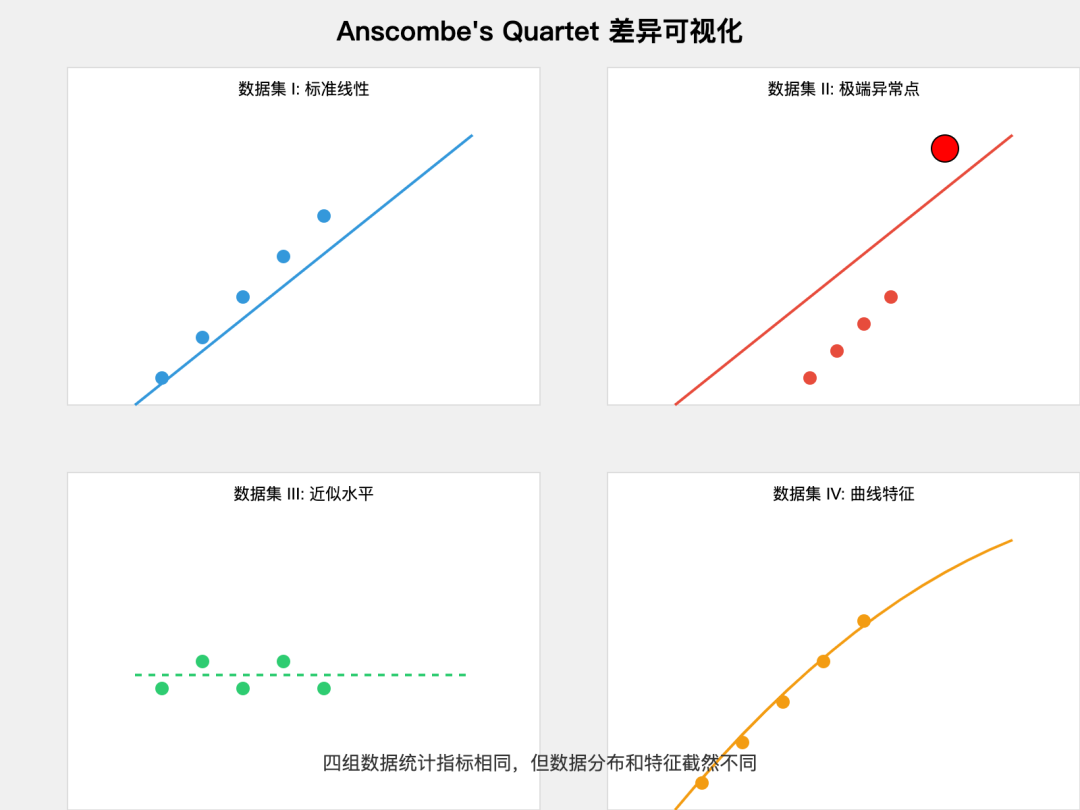
This “one picture is worth a thousand words” effect is the first important advantage of visual interaction.
Intuition
Humans are naturally strong at visual pattern recognition.
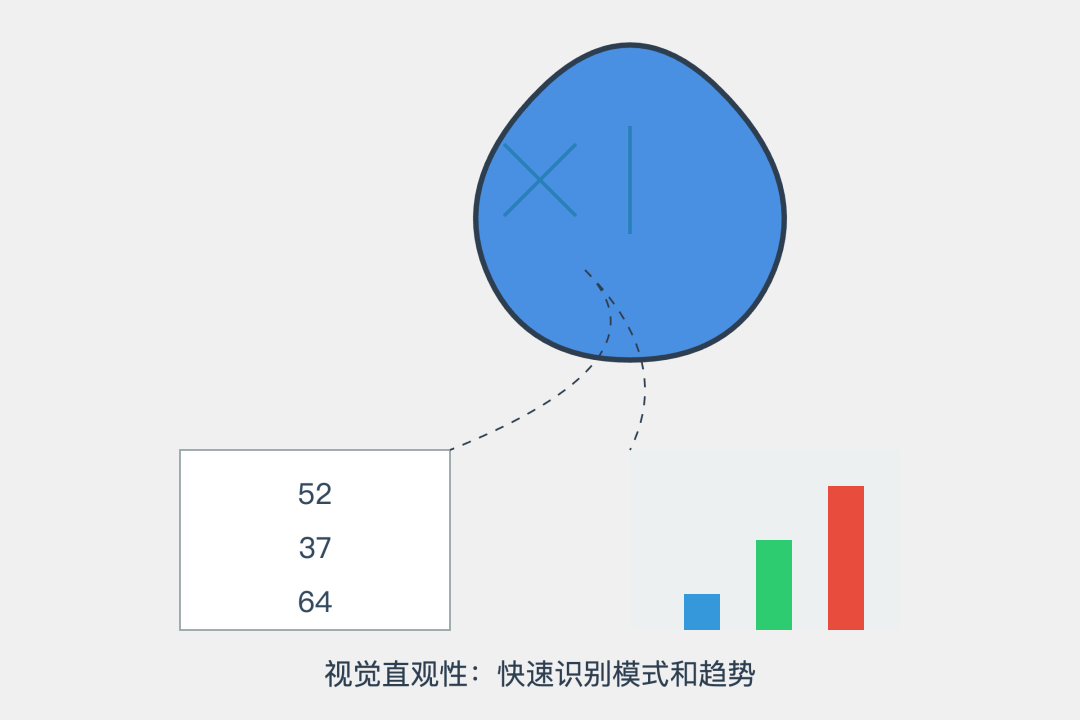
In data analysis, trends, outliers, correlations, and similar features can be discovered immediately through visualization.
This intuition not only improves comprehension efficiency, it also helps surface patterns that pure numerical analysis may miss.
Better Interaction Experience
Visual interfaces support direct manipulation and real-time feedback, which greatly improves interaction efficiency.
Click, explore, and see the data.
In a design tool, directly dragging an element is much more efficient than manually entering parameters.
This immediate feedback makes human-computer interaction feel more natural and smoother.
Cognitive Efficiency
The parallel processing nature of visual information lets users quickly understand the whole picture.
When looking at a subway map, we can immediately understand the structure of the network and transfer relationships. Describing the same thing in text would require a lot of space.
Multidimensional Expression
By combining position, size, color, shape, and other visual channels, we can show multiple dimensions of information at the same time.
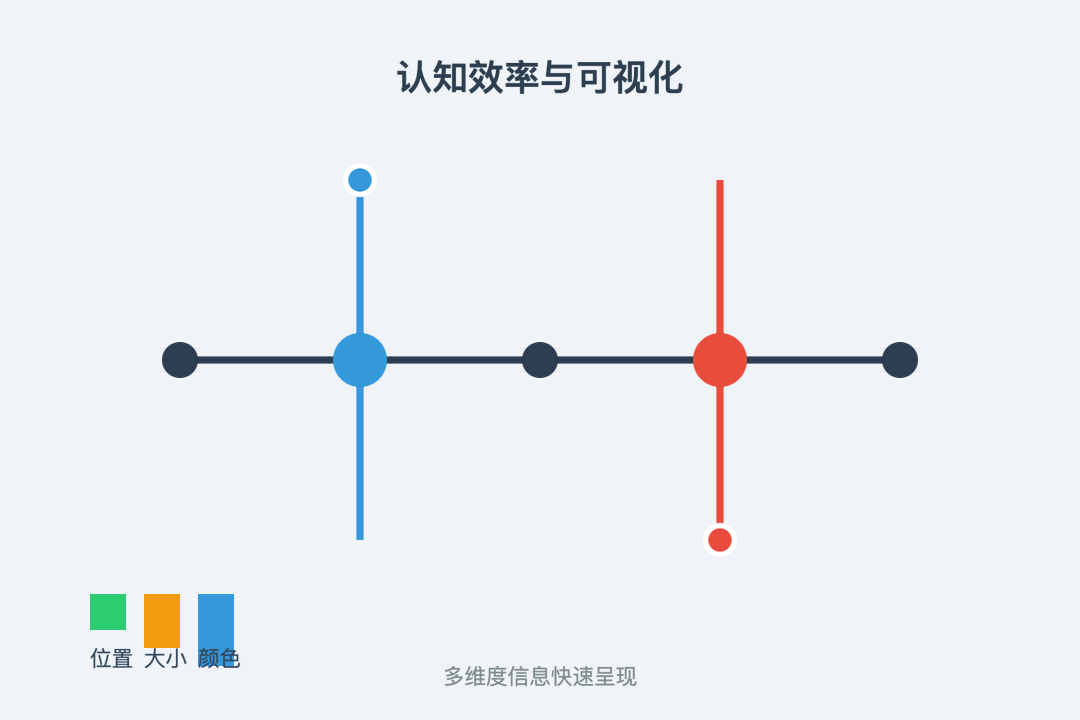
This kind of multidimensional expression is especially important for complex data analysis and decision support.
Visual Information Is Easier to Remember
This is why presentations and teaching materials with both images and text are usually more effective than pure text.
That memory advantage matters in learning and decision-making.
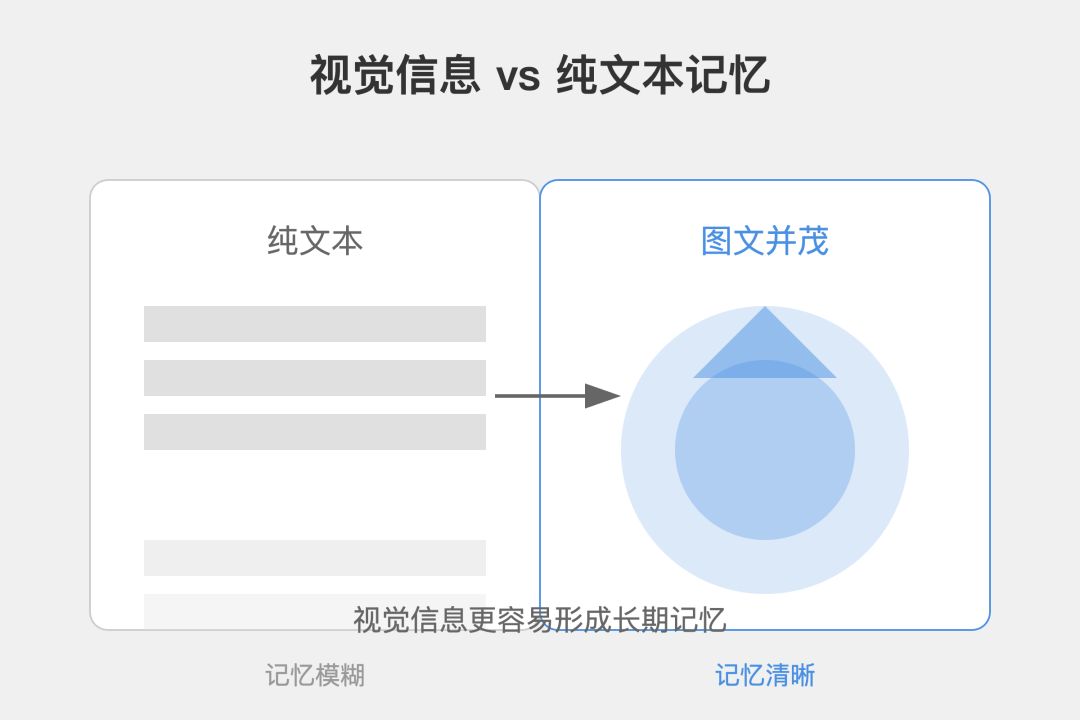
Together, these advantages form the force pushing AI interaction to evolve. Artifacts appeared in this context.
The Era and the Opportunity
Artifacts did not appear by accident. It was the result of several forces arriving at the same time.
From a technical foundation perspective, the leap in large-model capability was the most important driver.
Claude 3.5 and similar models gained stable code-output capability and multimodal understanding, which gave visual interaction a solid foundation.
Just as computers moved from a text interface era into graphical interfaces, AI interaction is now going through an important shift from pure text to visualization.
The evolution of product form also points in the same direction.
From ChatGPT’s text conversation, to Code Interpreter’s code execution, to Claude Artifacts’ visual interaction, every step expands the expressive boundary of AI.
This path is surprisingly similar to the historical process of graphical interfaces replacing command lines.
$ python analyze_data.py
Processing data...
Results: [1, 2, 3, 4, 5]

Data Analysis Dashboard
Chart
Detailed Results

Interaction evolution: text -> visualization
Also, as AI applications expand from general conversation into professional domains, visual output has become a real requirement in many scenarios.
Designers need instant visual feedback. Data analysts need intuitive chart displays. Users need richer interaction forms.
The maturity of the technical ecosystem provides the infrastructure for this shift. Rich visualization libraries, powerful graphics engines, and mature development tools together form the technical base that supports Artifacts.
That ecosystem completeness makes AI-generated visual content feasible.
User cognition also created the right timing. After ChatGPT became popular, users became familiar with talking to AI.
Now is a good moment to raise that interaction to a new level, just as the iPhone changed phone interaction with touch screens.
On the business side, visual interaction is also an important opportunity.
Major tech companies are all looking for differentiated breakthroughs in AI applications. Artifacts is an interaction form with clear potential.
These forces together created the ground for Artifacts, and they also suggest the kind of change it may bring.
02 - Principles: How Artifacts Works
How Traditional Application Interfaces Are Born
Let’s first talk about how a traditional application interface is created. Imagine you want to open a coffee shop.
From the first idea to the final opening, you need to plan the layout, design the interior style, renovate the space, connect water and electricity, buy equipment, and so on.
The birth of an application interface is similar.
Step 1: Product Requirements
This is like the overall plan for the coffee shop. How big is the space? Which areas are needed? How will customers move through it?
The product manager plans the interface functions, layout, and interaction logic in detail, then creates product prototypes, just as an architect draws blueprints.
Step 2: Visual UI Design
This is like interior design. What color should the walls be? What style of tables and chairs? How should the lighting be arranged?
The designer refines the visual expression of the interface, including colors, typography, icons, and many details, making sure the interface is beautiful and usable.
Step 3: Frontend Development
This is the actual renovation work. Following the blueprint and design plan, the frontend engineer turns a blank space into a usable storefront.
In software terms, that means turning the design into a working interface and handling interaction details.
Step 4: Frontend-Backend Integration and Launch
This is like connecting water and electricity, buying equipment, and finally opening the shop.
The frontend interface needs to connect with backend services, make sure data flows correctly, then deploy and launch for users.
During this process, every step often needs repeated communication and revision.
Just as renovation plans often change based on actual conditions, an interface usually goes through many rounds before it reaches the ideal state.
This process seems reasonable, but it creates problems:
- Long cycles. From requirement to launch can take weeks or months.
- Strong dependency between steps. If the previous step is not done, the next one is hard to move.
- High communication cost. Requirements, design, and development can easily drift apart.
- High modification cost. Late changes may require repeating several steps.
These pain points make us ask: is there a more efficient way to create interface interaction?
That brings us to the protagonist of this article: Claude Artifacts.
The Artifacts Workflow
How does Artifacts work?
Imagine telling Claude: “I need a simple calculator interface.”
In the traditional way, this would require a product manager to write requirements, a designer to make visuals, and an engineer to write code.
In Artifacts, the process is different.
-
Understanding the requirement. Claude understands what you need and automatically considers layout, interaction logic, and other details. Like an experienced designer, it knows a calculator needs number buttons, operators, and a display area.
-
Generating code. Based on that understanding, Claude directly generates complete interface code. The code contains layout, visual styling, and interaction logic. It is a little like a 3D printer turning a design into a physical object directly.
-
Browser rendering. The generated code immediately runs and renders in your browser, showing a calculator interface you can actually use. It is not just an image or animation. It is a real interactive interface.
-
Real-time iteration. If you think the buttons are too small or the colors are not bright enough, you can tell Claude directly. It generates new code, and the interface updates. This immediate feedback makes iteration very smooth.
The whole process feels like having an assistant who understands product design and programming, and can directly turn ideas into reality.
It also works very fast. You do not need to wait. It can adjust whenever your requirement changes.
This workflow brings several important advantages:
-
Speed. It can go from idea to usable interface in seconds.
-
Lower cost. It does not require multiple roles such as product, design, and development at the prototype stage.
-
Convenient iteration. If you need a change, tell Claude directly. There is no heavy process.
-
Better experience. The output is a real interactive interface, not only an image or prototype.
This is why Artifacts feels revolutionary: it makes interface creation as simple and natural as conversation.
Now let’s look at the core technologies that support it.
Core Technologies
After understanding the workflow, you may wonder: how can it build so many interfaces so quickly?
The answer lies in its core technologies.
Think of playing with Lego. You do not need to create every piece from scratch. You build with existing blocks.
Artifacts works in a similar way. It uses many ready-made “interface blocks,” which are technically called components.
Take React components as an example. React is one of the most popular interface development frameworks, and it has a very rich component ecosystem:
- Need a button? There is a ready-made Button component.
- Need a dropdown? There is a Select component.
- Need to show charts? There are Chart components.
- Need drag and drop? There are DnD components.
Just as Lego has blocks for different functions, Artifacts can choose and combine suitable components to quickly build a complete interface.
Another key technology is Tailwind CSS. You can think of it as a standardized palette for interface decoration:
- Need blue? Use
blue-500. - Need centered text? Use
text-center. - Need rounded corners? Use
rounded-lg. - Need a shadow? Use
shadow-md.
This standardized design language lets Artifacts control visual details precisely, like a painter using prepared colors rather than mixing from scratch.
More importantly, these technologies come from active open-source communities.
Developers around the world constantly create and improve these “blocks,” making them stronger and easier to use.
Artifacts stands on the shoulders of that ecosystem, so it can create useful interfaces with much less effort.
For example, if you want to make a data analysis interface, Artifacts can directly use existing components.
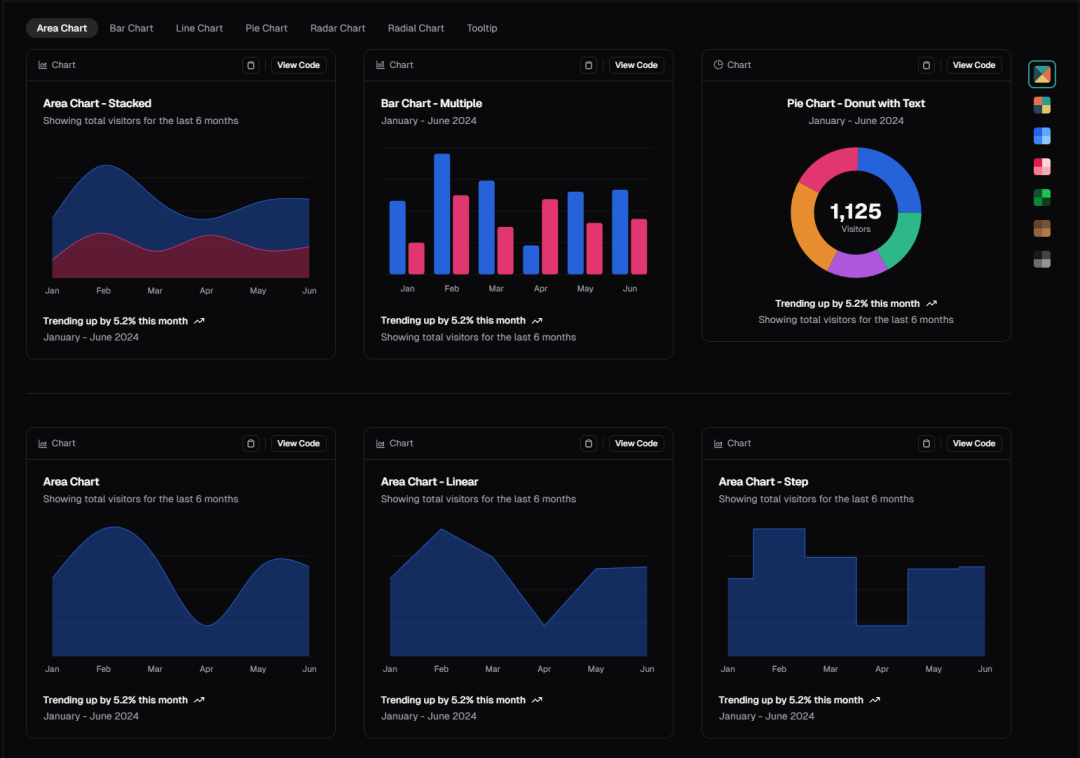
None of this needs to start from zero. It reuses and combines mature solutions.
That is why Artifacts can generate complete interfaces in only a few seconds.
Once you understand these core technologies, it becomes easier to see why Artifacts can work so efficiently.
It is like an architect who understands both art and engineering, using prefabricated components to quickly build beautiful and practical “interface buildings.”
Compared with Traditional Development
Here is a clear comparison between traditional development and Artifacts:
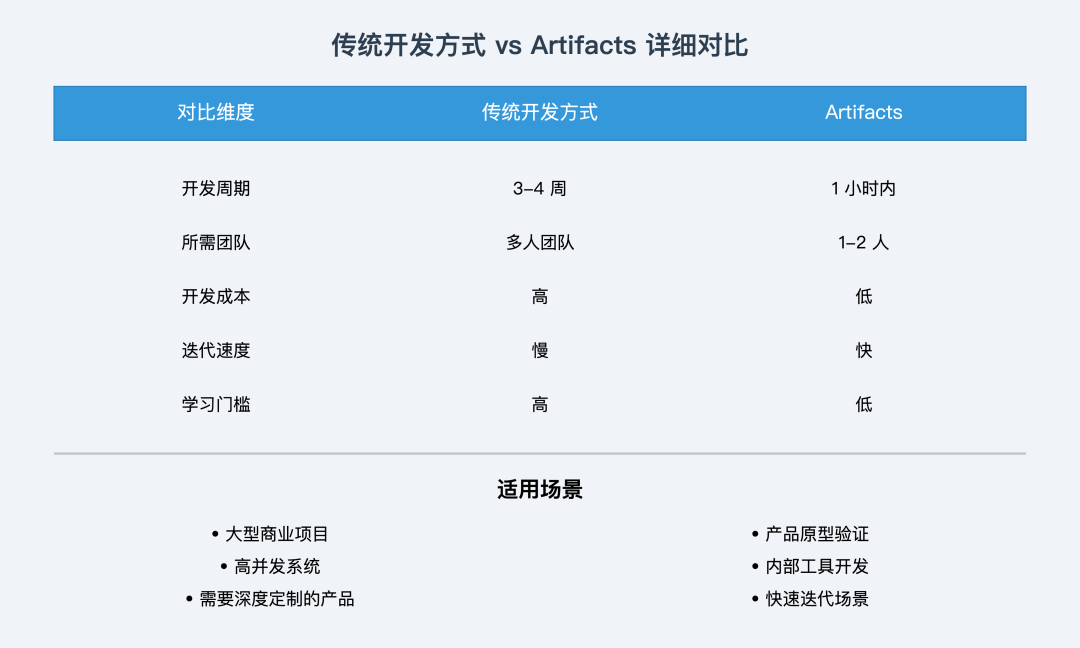
My usage suggestions:
- For prototype validation, prefer Artifacts.
- For internal tools, prefer Artifacts.
- For commercial products, traditional development is still more suitable.
- For hybrid workflows, use Artifacts for prototypes and traditional development for the final product.
In the long run, Artifacts is not meant to fully replace traditional development. It offers a new option.
It greatly lowers the threshold of application development, allowing more people to participate in product creation.
This is like autonomous driving. It does not have to replace human driving completely. It provides a more convenient option in specific scenarios.
In the future, as AI technology improves, Artifacts will continue to become more capable. But traditional development’s control over details and professional depth will still have irreplaceable value.
The ideal state is to combine Artifacts and traditional development, use each where it is strongest, and choose the right method for the scenario.
03 - Applications: Artifacts Is More Than Text-to-Card
Although Artifacts is a Claude feature, the term is now often used more broadly for functions that generate code and render it directly.
There are actually many such applications. The basic function is not that hard: generate code, then render it.
But relatively few products turn it into a real product experience. Still, many people have made interesting explorations, and I have built a few demos myself.
Below are some examples.
Exploration One: Text-to-Card
For now, I will call this kind of app text-to-card.
The most famous example is probably Li Jigang’s “New Interpretation of Chinese.”
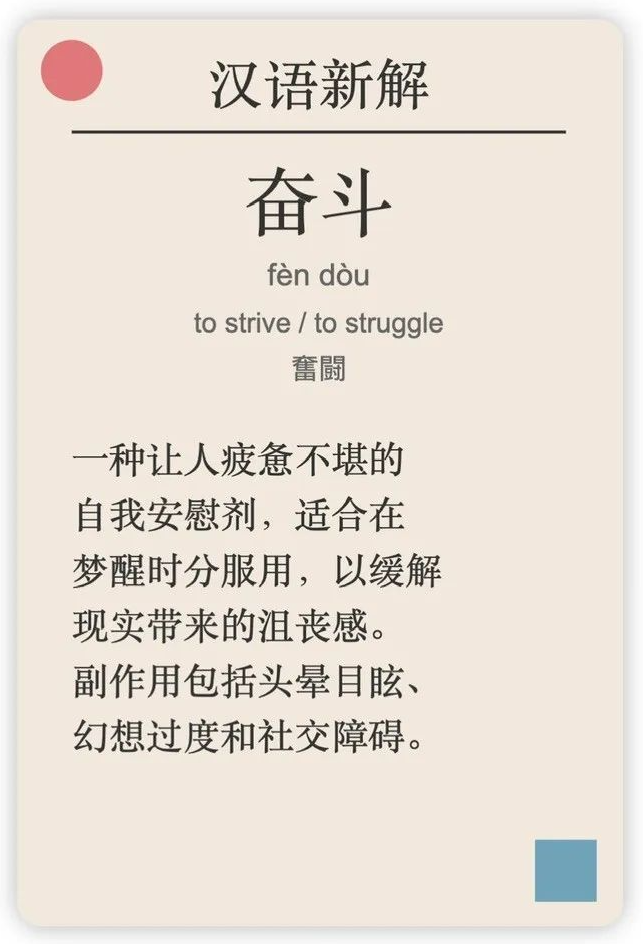
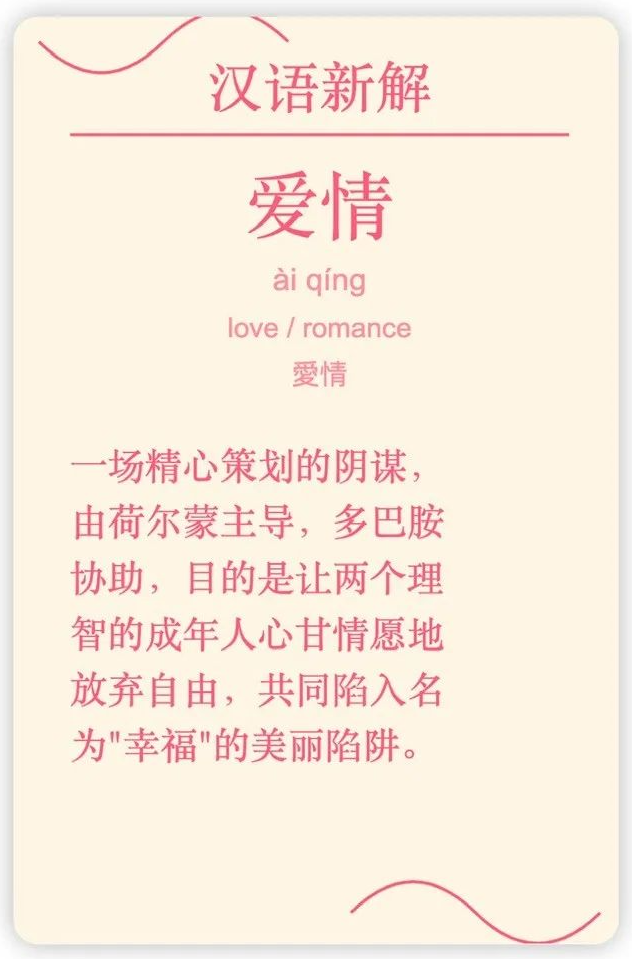
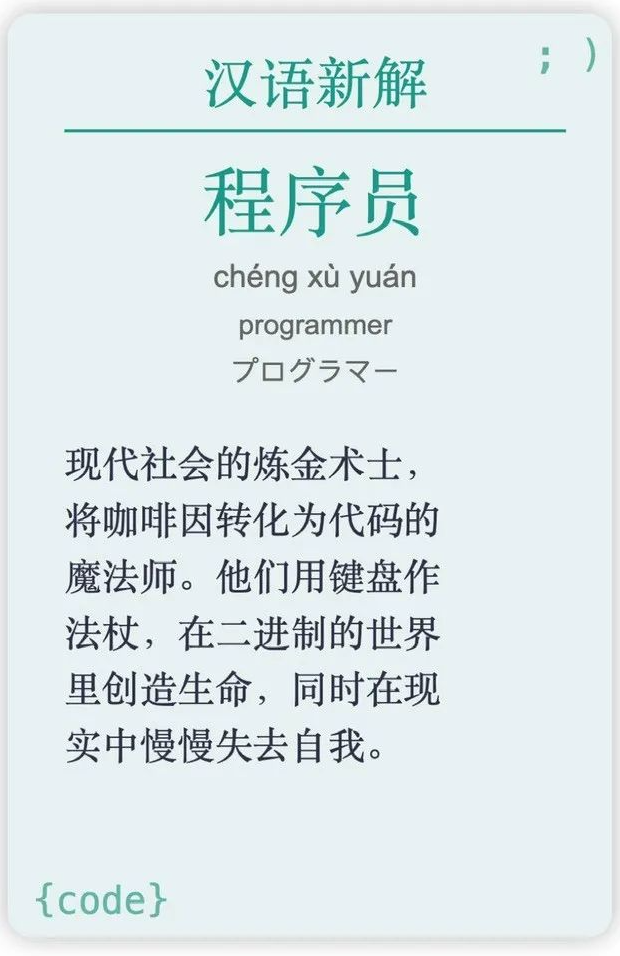
Then many other creators followed with their own work, such as Yize’s “Business Card Design.”
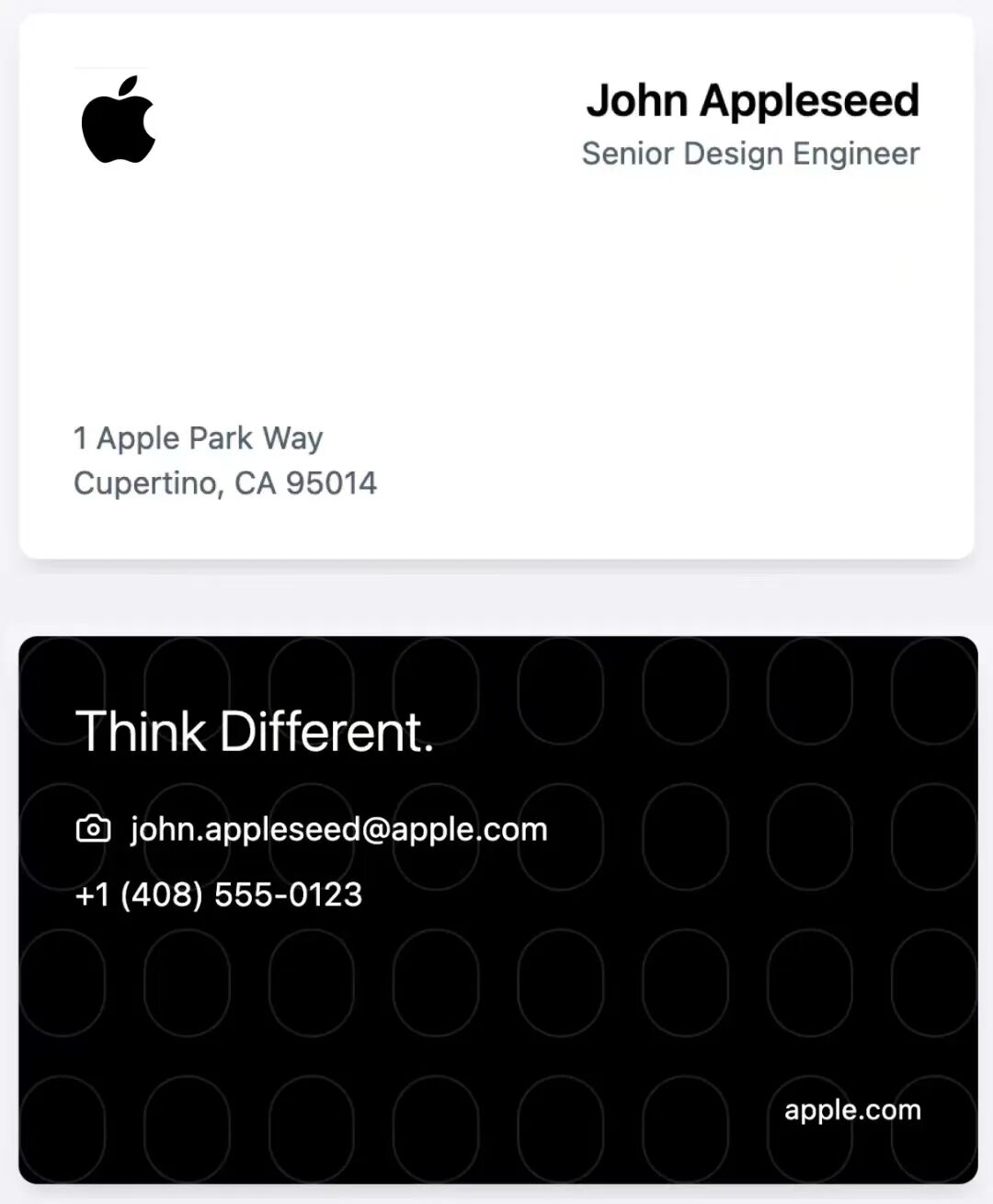

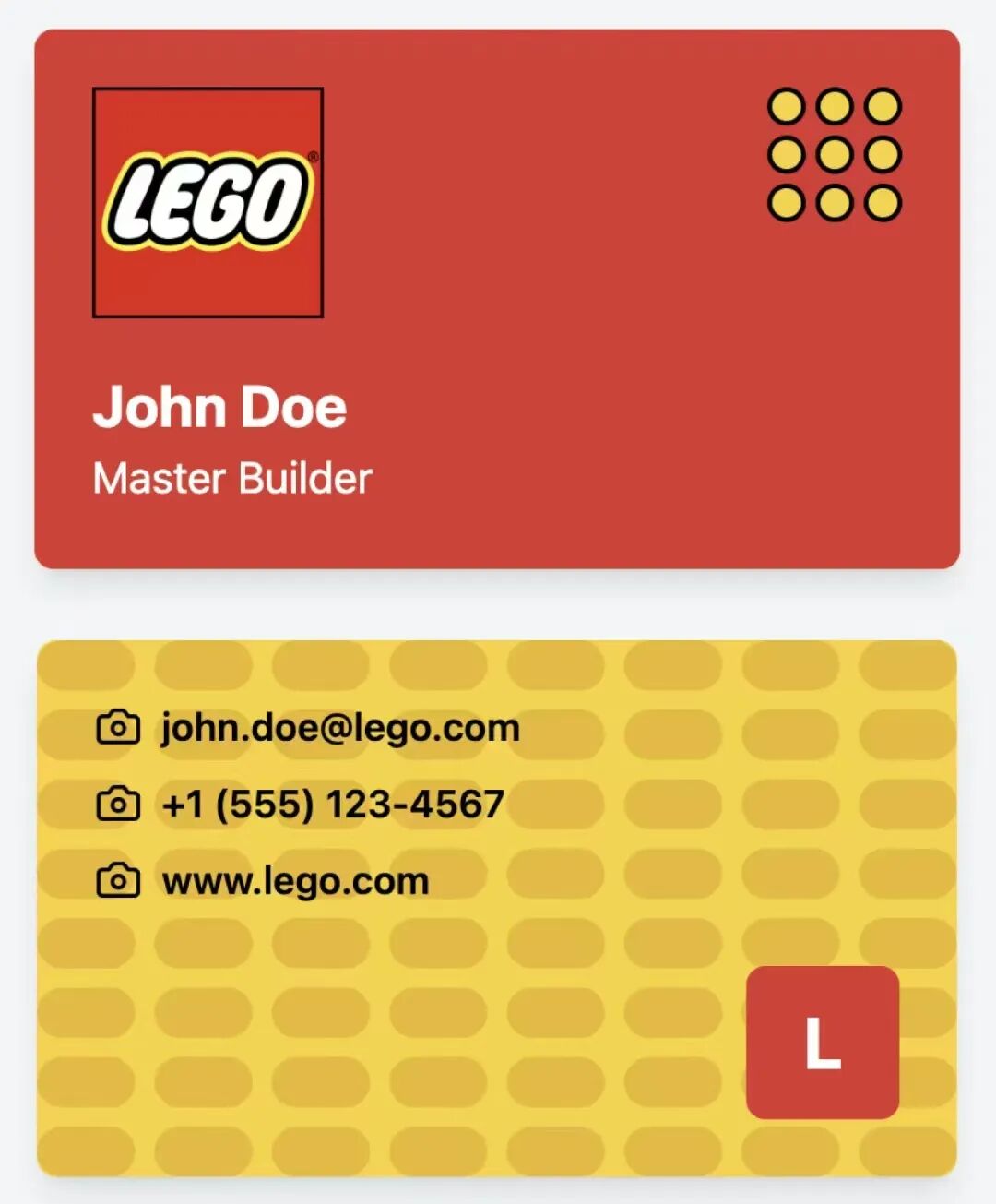
And Yunzhong Jiangshu’s “AI Resume.”

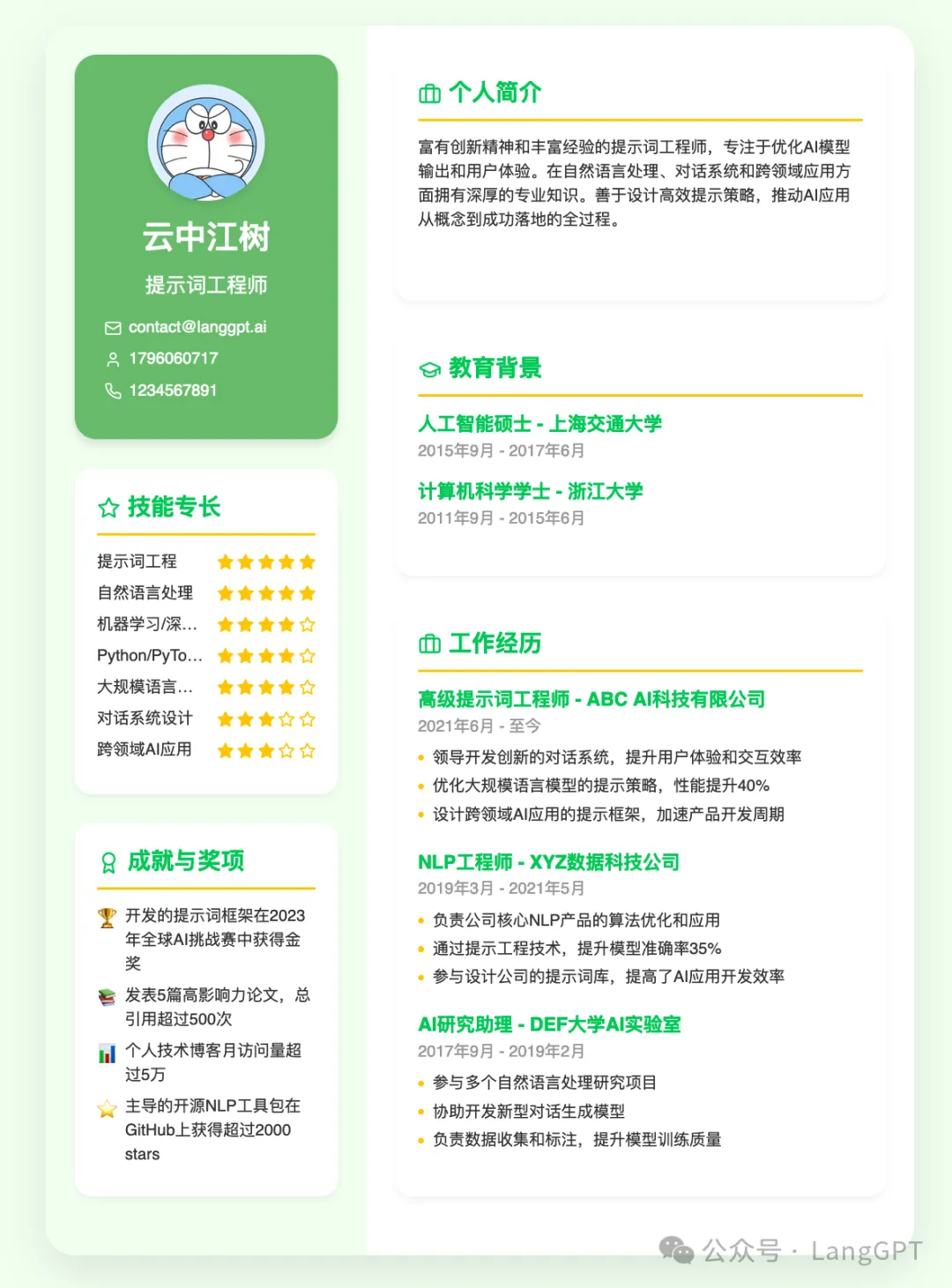
All of these are essentially created by giving the large model an optimized prompt, asking it to follow a certain design idea, generate HTML or SVG code directly, and then render it in the browser.
Exploration Two: Jianhua.Art
This is a small demo I built a few weeks before the original article: a simple browser extension.
Two Weeks from AI Product Manager to Indie Developer: I Found Visual Freedom
It can quickly design SVG through natural language, giving me image-and-text freedom: turning long articles into image posts, designing illustrations, logos, posters, and more.
The POC version was already listed in the Chrome Web Store at the time. Searching for “Jianhua.Art” would let you install and try it.
For example, one built-in feature is “webpage summary.” You can open any webpage, click generate, and it will summarize the page into images like these:
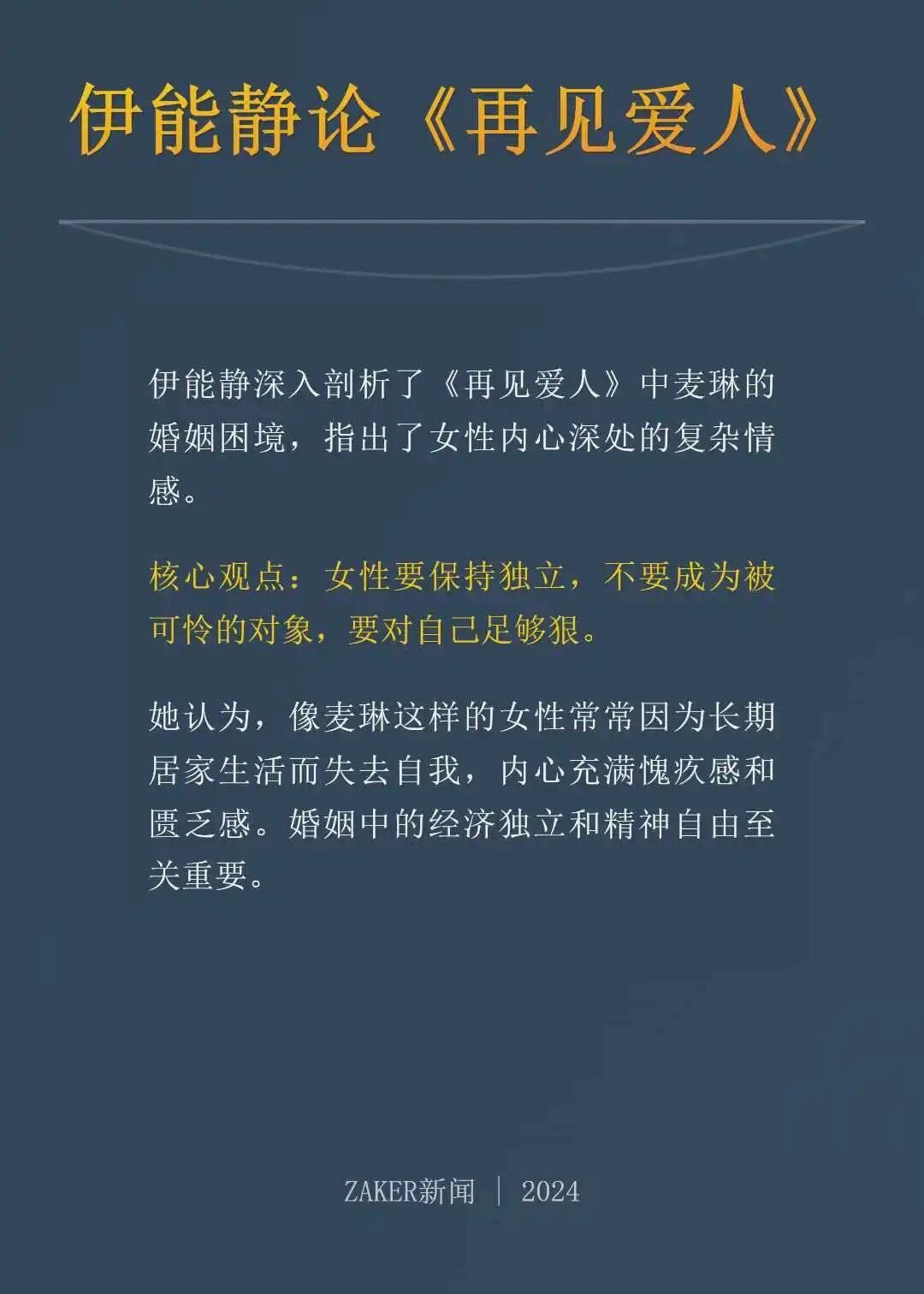
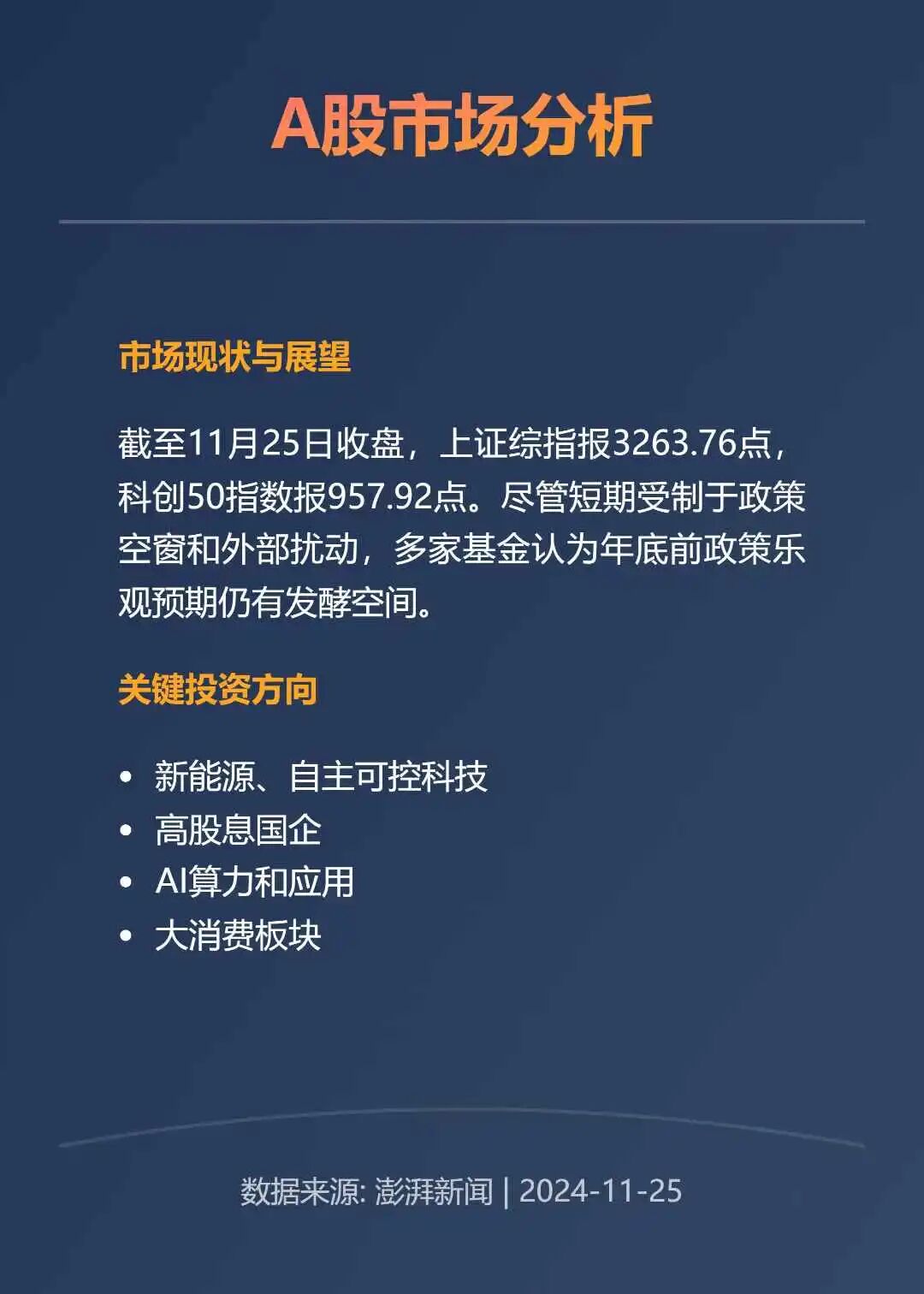
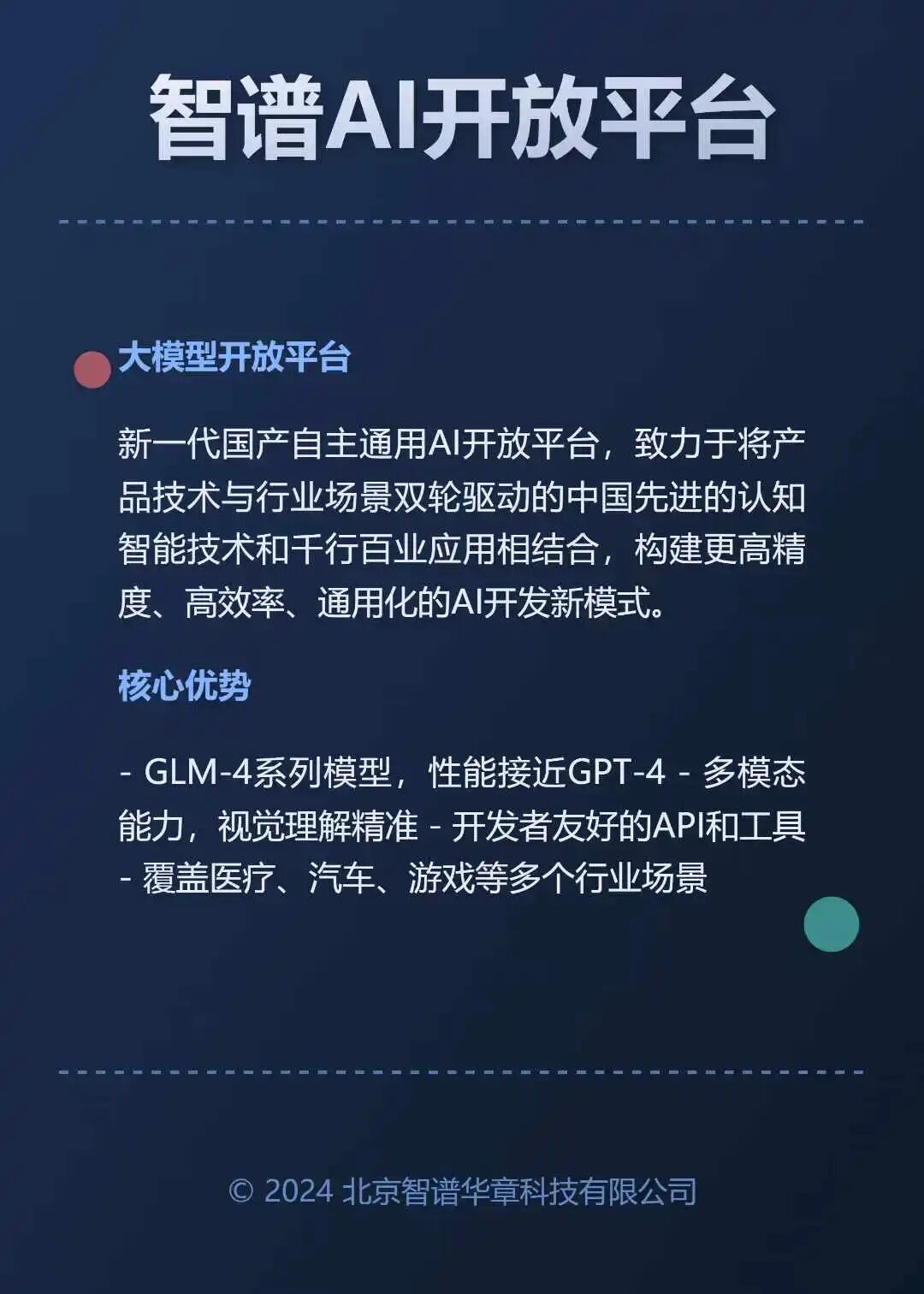
Another example is “Official Account cover image design.” For an article like this one, it can directly generate many styles, and I can choose one I like.
It can also design article illustrations. Most of the images in the original article were designed by Jianhua.Art based on the article text.
Exploration Three: AI Prototype Design
If you have worked on B2B products, you are probably familiar with Ant Design from Ant Group.
In the past, when drawing prototypes, I often pulled things together quickly based on that UI framework.
As mentioned above, a UI framework is basically a collection of ready-made components.
You can draw a prototype by dragging manually. You can also draw it by assembling code. Once that is true, asking a large model to do it becomes much easier.
So some time ago, I built a demo that can draw prototypes directly through natural language.
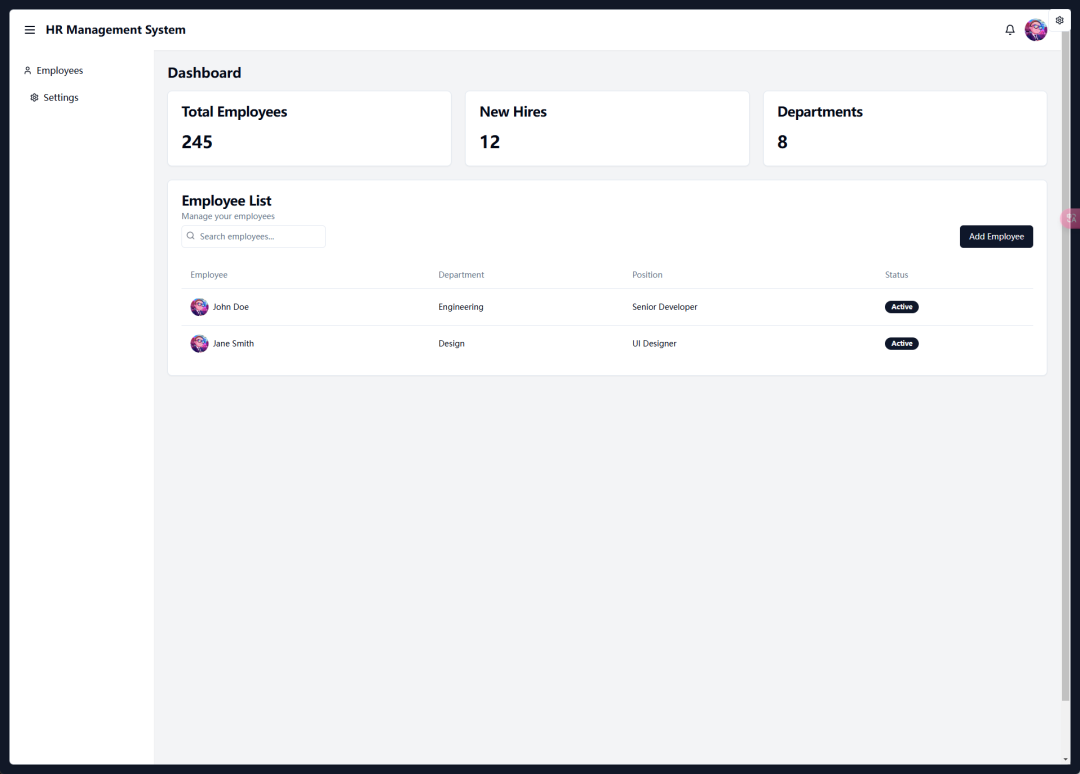
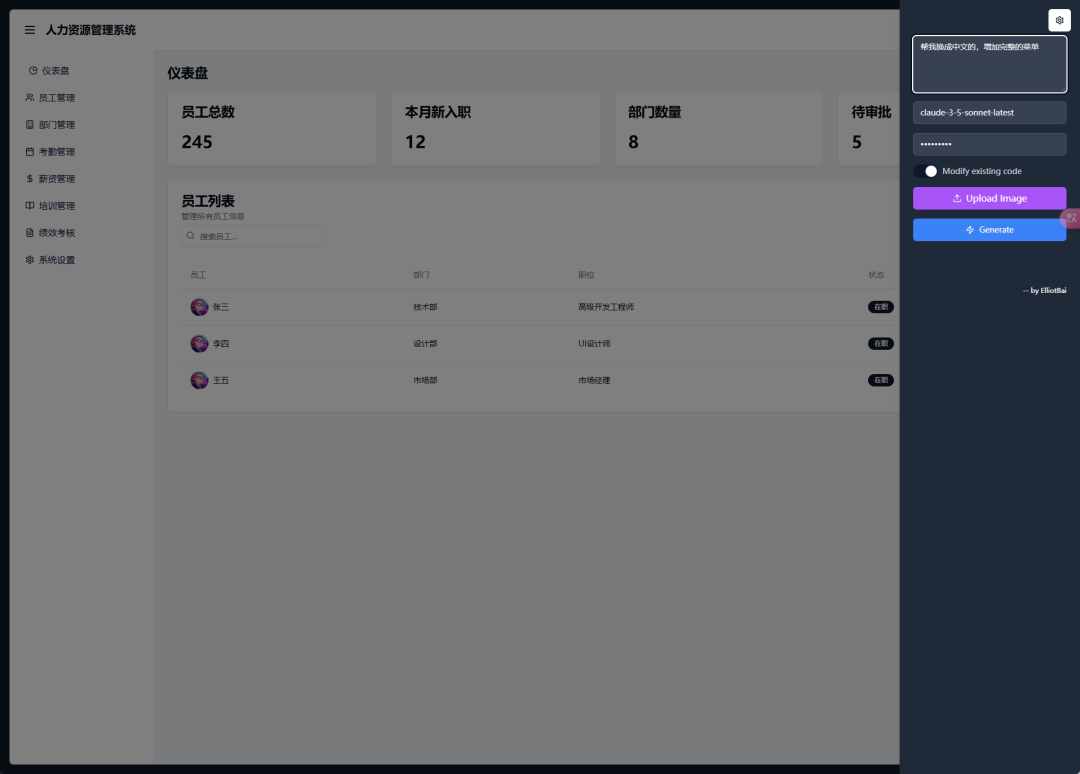
After ten years doing product work, I never imagined I would one day draw prototypes with my mouth.
Of course, you can also start from a screenshot. Very easy.
Exploration Four: TV Agent
Later I had another idea: what if generated interfaces were directly combined with agents?
So I changed the demo, added a voice input recognition module, and ran it on the TV at home.
Every morning, the agent can check the weather for me and draw an interface on the TV, telling me today’s weather and what to wear.
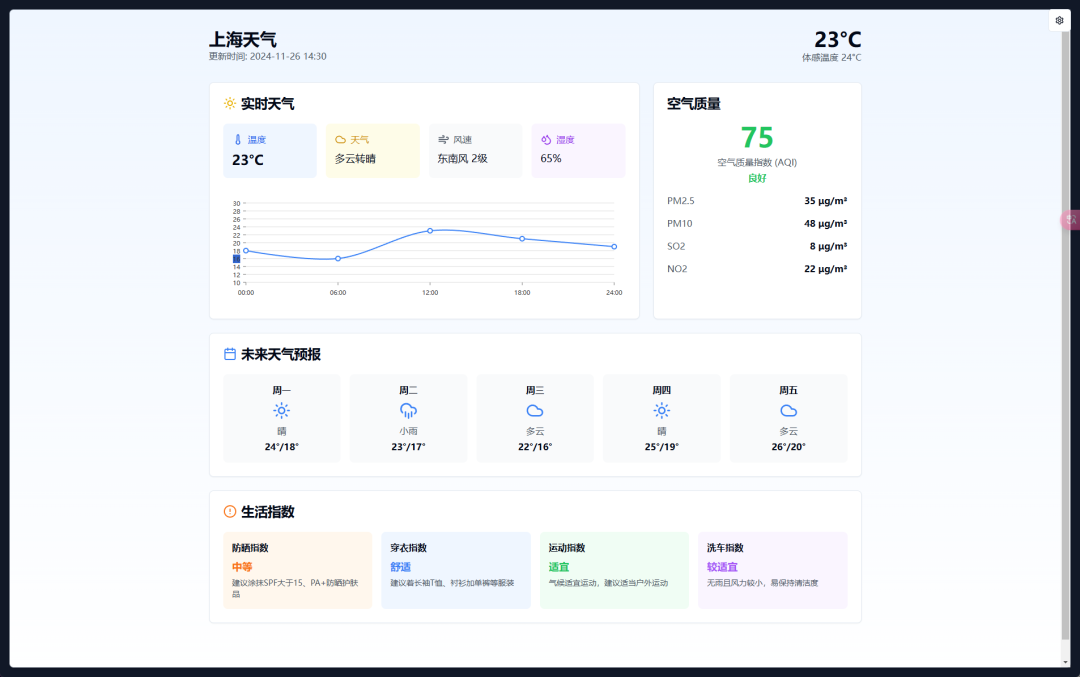
When I go out for a walk, it can help me find parks in advance and list their information on the TV.
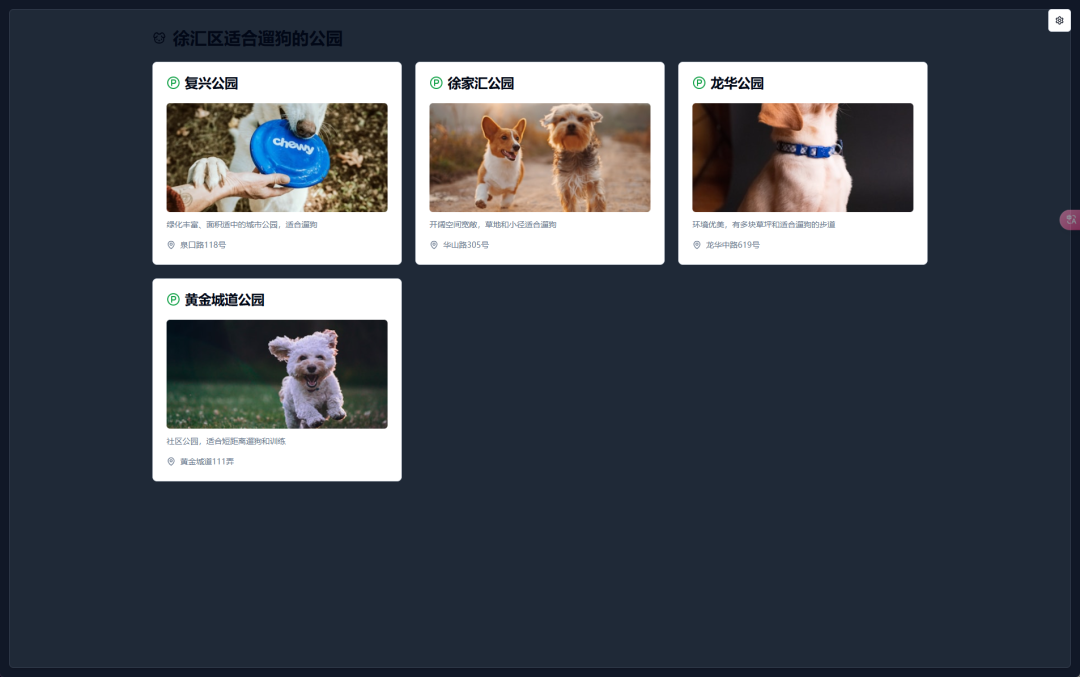
When I travel, it can plan the itinerary and display it on the TV.
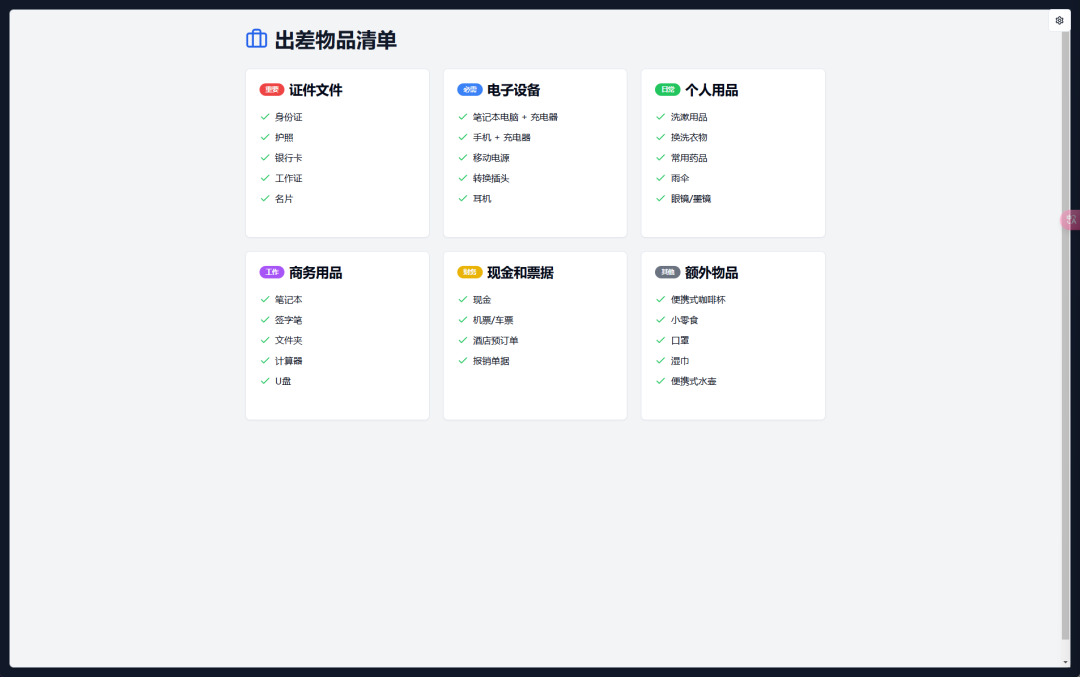
When I cook, it can list a detailed recipe on the TV.
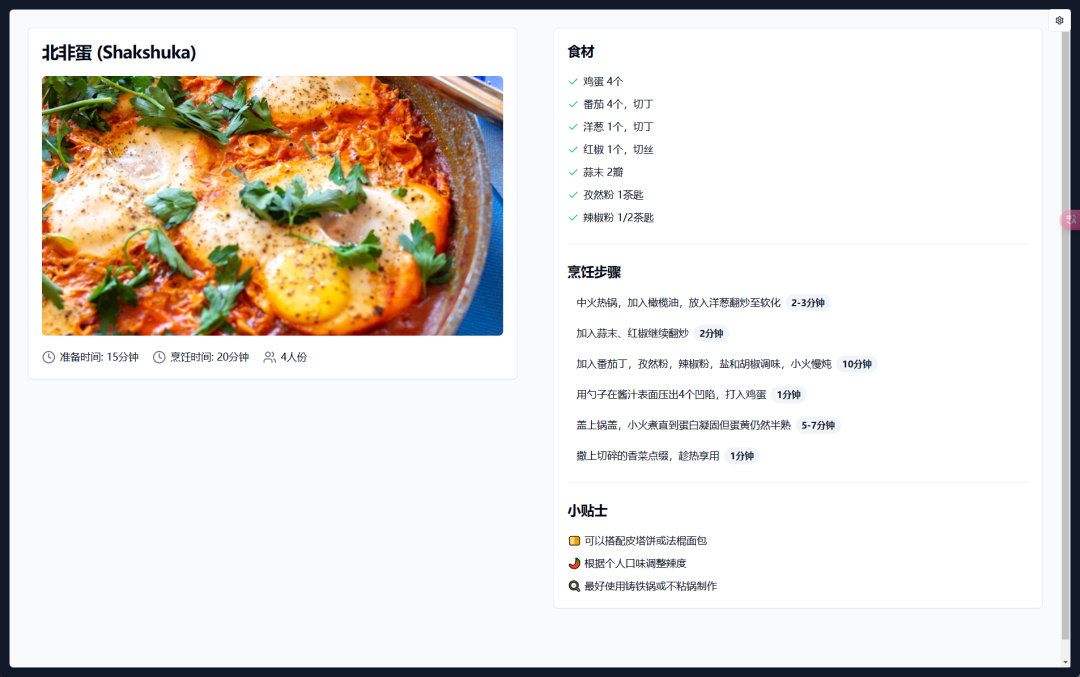
Most of the time, I do not watch TV all day anyway. When it is idle, it can randomly switch wallpapers and become a large digital photo frame. That saves hardware money too.
04 - Practice: Building Your Own v0
Project Overview
Repository: https://github.com/bkidy/MagoUI
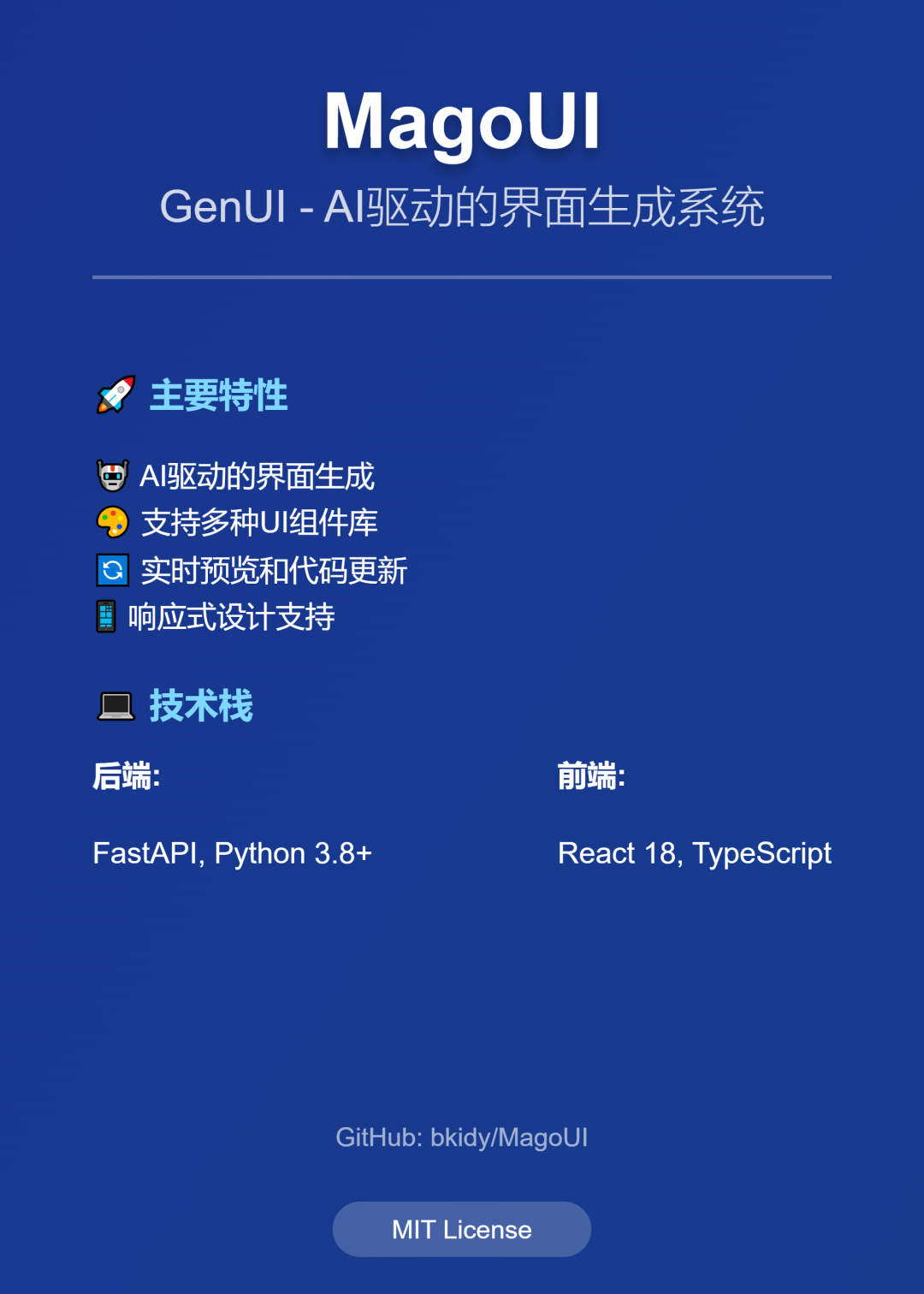
This is only a demo, so it only needs to run.
The backend uses Python and FastAPI. Its main job is to request the large model to generate code, then put that code into a TSX file.
The frontend uses Vite and React to render the generated TSX file.
This approach is only suitable for local experiments. You cannot do this directly in production.
Environment Preparation
You need Python and Node.js.
Everything else is written in the project. Follow the instructions and you can run it.
Once it runs, you will have your own v0-like demo like the one discussed above.
Core Code
There is not much “core code” in the traditional sense.
The most important thing is Claude’s capability, plus a prompt that teaches Claude how to write frontend code.
That prompt was based on something someone had reverse engineered from v0 at the time. It was detailed, so I used it directly.
05 - Summary
As I said at the beginning: text is not as clear as a table, and a table is not as clear as an image.
The evolution of AI interaction from traditional text to visualization improves efficiency and opens new possibilities.
But if you want to make Artifacts work inside a real product, a large model alone is not enough.
You also need accumulated understanding of the open-source community, frontend frameworks, standardized design systems, and related technologies. Only then can the large model help produce higher-quality interfaces and applications.
In product prototype validation, internal tool development, and similar scenarios, Artifacts has already shown clear advantages. It especially lowers the development threshold for small teams.
But in large commercial projects, traditional development still has irreplaceable value.
For developers, my suggestions are simple: be clear about the application scenario, make good use of the existing ecosystem, and keep learning.
As AI technology progresses, we may see smarter component recognition, more natural interaction, and stronger customization.
While chasing innovation, we should also keep practicality in view.
Images: Jianhua.Art
Layout: 带带弟弟公众号编辑器
References:
“Reverse-engineering v0 Prompt”
https://github.com/Yuyz0112/dewhale
“Articles from other creators”
https://mp.weixin.qq.com/s/7CYRPFQxi37ONTlX0hfzRQ
https://mp.weixin.qq.com/s/LPyDe4qFk1BLat7LhP75OA
https://mp.weixin.qq.com/s/IdMpz2DIWM1g1b3CJxgISA
Original
This article was first published on the WeChat Official Account “白苏Elliot”: https://mp.weixin.qq.com/s/rvsFoPDvaD5JcqGjGcKp-g