If you often browse X or AI-related information, the word Cursor must be familiar. Just scrolling my timeline, I can see people saying Cursor is incredible, that they built an application with it in a few hours.
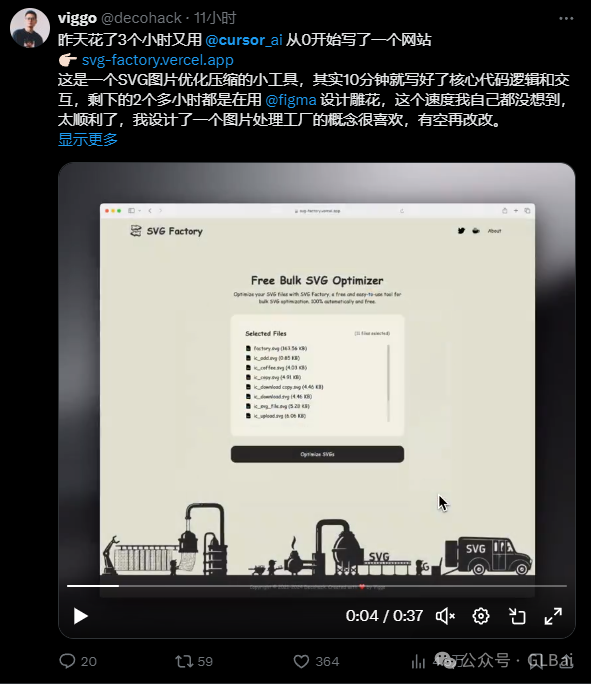
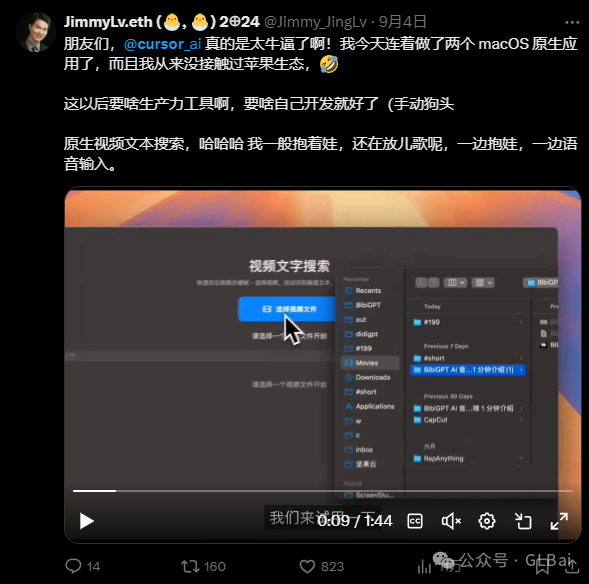
Yes, what they say is true.
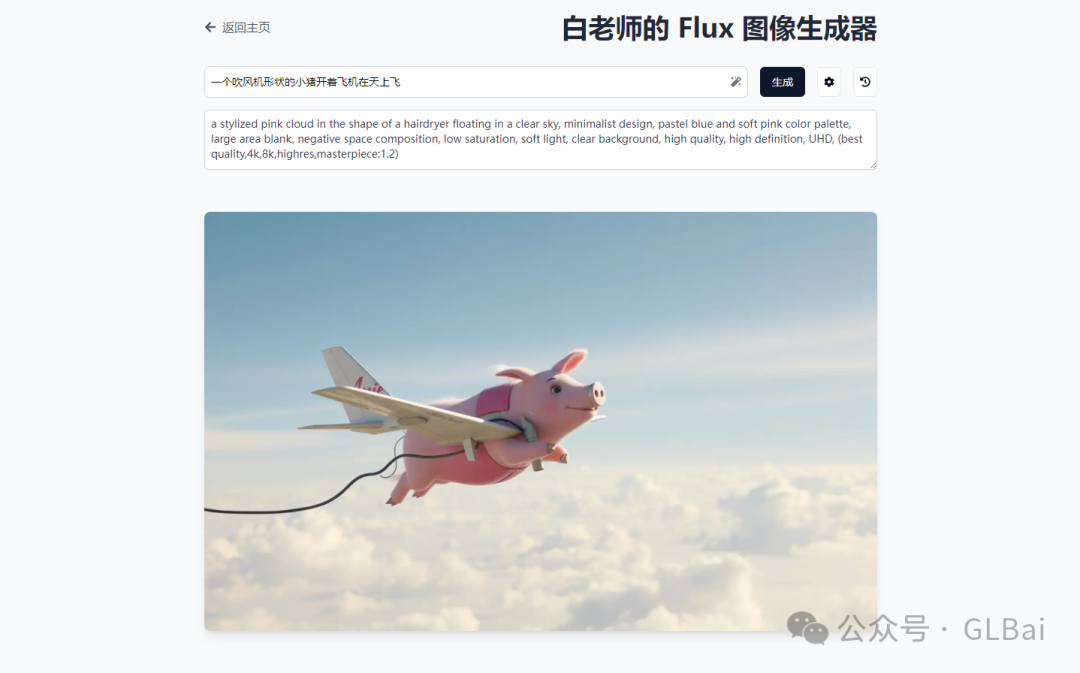
I only used 27 * 3 seconds to build a simple FLUX WebUI, and I also added Magic Prompt plus history.
And this was in a programming language that used to give me a headache the moment I looked at it.
So I have to sigh at how fast large model technology is developing. Many companies still building large model applications or models should also think carefully about whether the old internet playbook still works today. The current pace may be more agile than agile development.
“Otherwise, when OpenAI’s GPT-5 comes out, it will crush everyone.”
The sentence above was actually said by Uncle Sam at OpenAI DevDay last November. In the end, his opponent, Anthropic, the company behind Claude, helped him make it real.
Because Claude recently released Claude 3.5 Sonnet, a model that is far ahead in frontend code generation, and Artifacts, a tool that directly renders frontend code into a webpage.
Together with the continued popularity of Cursor powered by Claude, many people seemed to see a new path for large model applications to land, even amid all the surrounding pessimism: code generation.
Code Interpreter: The Ancestor of Code Generation
When talking about code generation, we have to mention the ancestor: Code Interpreter, which OpenAI launched around October last year. The heat it caused online was definitely no less than today’s Cursor and Artifacts.
CI was essentially a sandbox environment for running Python code. It let the large model generate Python code, run it inside the CI sandbox, and finally output the result. This broke through the fixed paradigm of tools and made many more things possible.
Unfortunately, OpenAI seems to have put points into the wrong skill tree.
Many people used to complain that OpenAI’s engineering ability was weak, calling it a makeshift team that got reverse engineered every day. The reality may be that OpenAI was full of algorithm experts, with not much frontend talent or frontend voice, so when they built CI, they naturally started from Python. Compared with Claude’s Artifacts, which feels like something a product designer imagined, the story behind Artifacts is actually quite interesting. If you are curious, you can read “How Anthropic built Artifacts” on Claude’s official site.
Then after Code Interpreter came out, everyone was excited for a few days and then it fizzled. Why? Because Python backend code in a sandbox cannot access the network, cannot operate a database, can only draw charts with Matplotlib, and gives garbled Chinese fonts. What else can it do?
Artifacts: A New AI Interaction Paradigm
I am actually a product manager who loves writing code. That started when I was around ten. Although my skills have never become especially refined, the feeling of typing code line by line and turning an idea into reality is really, really cool. But in reality, the two words “code” are enough to scare most people away.
The reason Code Interpreter could not keep users excited for long is probably that Python output was still that … *%& … code.
Artifacts gives users a completely different experience. It is more like an empathetic designer. It understands your needs and immediately presents you with a visually rich, interactive UI.
The result of this difference is obvious. Code Interpreter is powerful, but the usage threshold is high, mainly attracting technical enthusiasts and professional developers. Artifacts, with its intuitive interaction and instantly visible results, attracts a much broader group: designers, product managers, and even ordinary users with no programming experience. You just take responsibility for imagining; it gives you the presentation.
In the LangGPT group today, Gang, one of the masters, even used the SuperPrompt idea from a few days ago, combining a Lisp-style Prompt with Artifacts to create even more stunning effects. The images below are all quoted from WaytoAGI, author Li Jigang, same name on Jike.
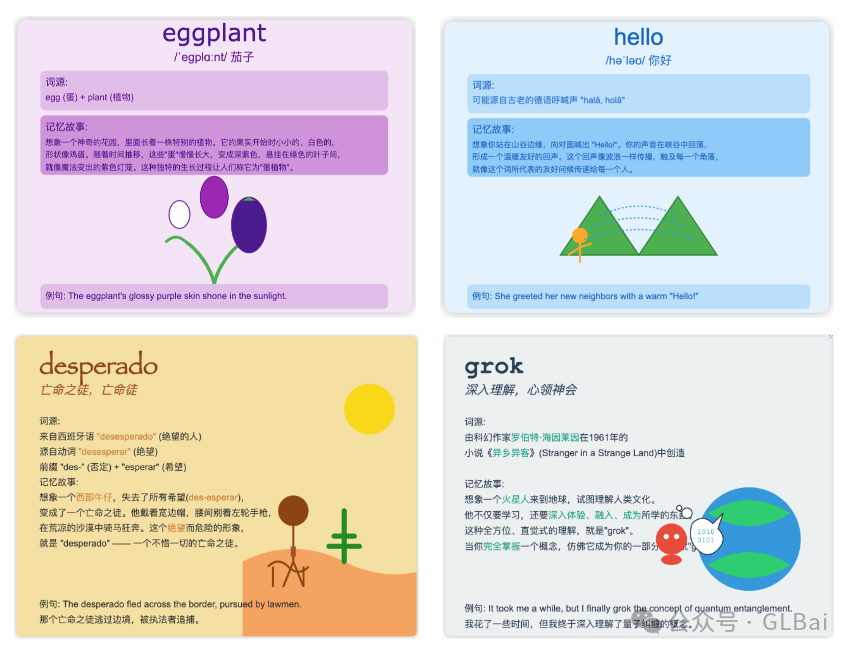
Yes, it can even generate animation.
Artifacts product designer Michael Wang recalled that when he saw it appear on the screen immediately, something just clicked. It was not only about speeding up the process; it changed the way we interact with Claude.
Isn’t that exactly it? In my view, what it is about to change is the paradigm of human-AI interaction. Before Artifacts, our conversations with AI bots were mostly one-way and static: we input instructions, AI returns text. Artifacts turns that into a two-way, dynamic conversation. We describe a need, AI instantly presents a visual result, we immediately give feedback, and AI can adjust quickly. This interaction mode is closer to human collaboration and greatly improves the efficiency and joy of creation.
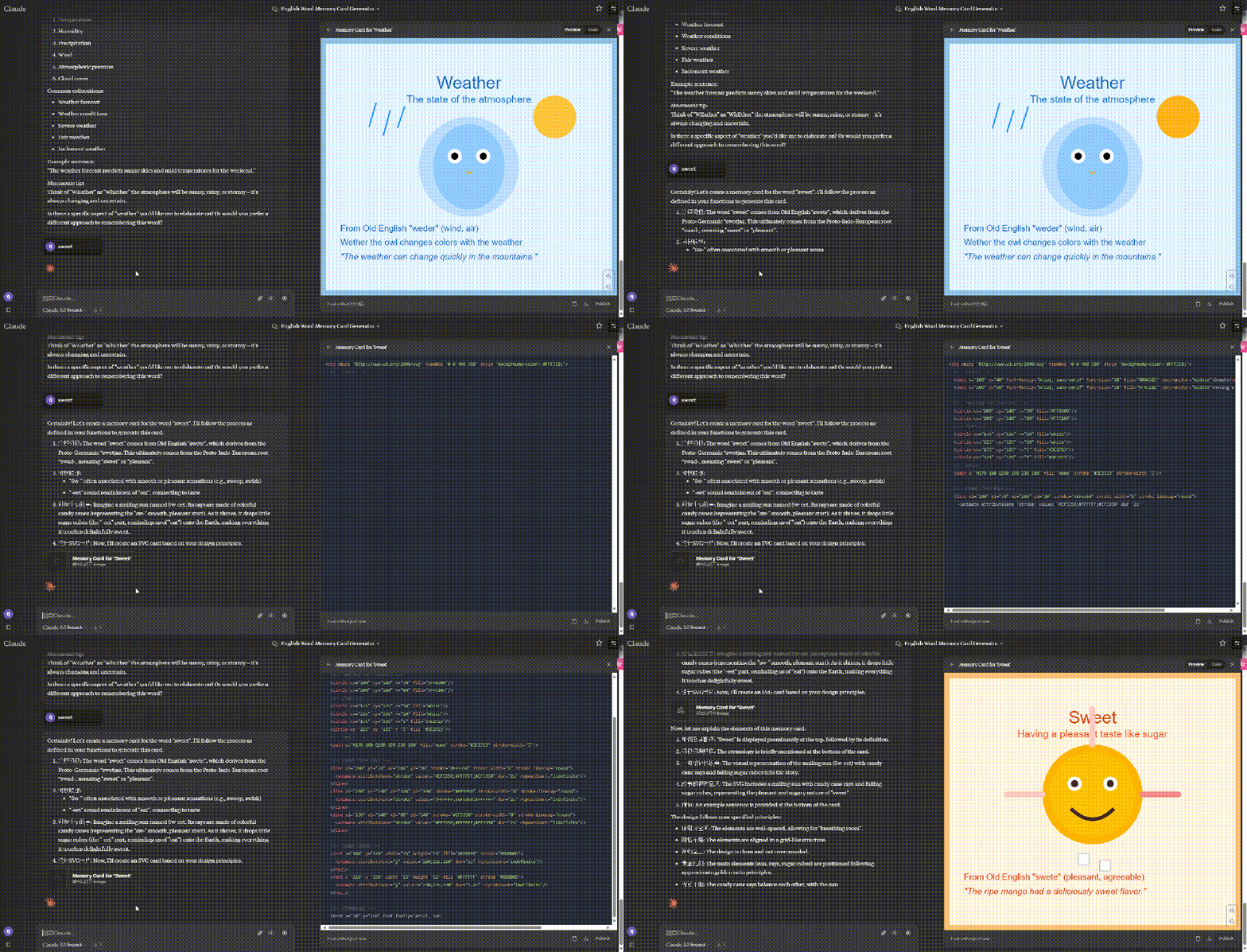
Second, this new interaction paradigm may have a deep impact on frontend development.
The traditional frontend workflow usually requires designers to produce visual drafts, developers to code them, and then repeated debugging and revision. With Artifacts, this process may become smoother and more efficient. Designers can talk directly with AI and quickly validate ideas. Developers can focus more on complex functionality instead of being trapped in tedious UI coding.
Do not think this is far away. Product managers have already shifted from outputting requirements documents to outputting prompts. Things that used to require algorithm teams to train models every day can now be done through prompts.
Of course, we also need to stay clear-eyed. Artifacts is still far from perfect. The generated code may have bugs. Design style may be inconsistent. Functionality may not be strong enough yet. But as the Anthropic team showed, technological progress often begins with a simple and bold idea. In this era where AI and human intelligence keep colliding, Artifacts opens a new door. It shows us that AI can be not only a powerful assistant, but also an extension of our creativity and an amplifier of imagination.
What will future AI interaction look like? Maybe the answer lies in our imagination. And Artifacts is undoubtedly only a brilliant beginning to this imagination revolution.
Cursor: Natural-Language Programming Becomes Real
A year ago, many developers around me still disliked GPT and felt they were irreplaceable. Likewise today, there must be many people who read this and think Cursor is only a toy for non-professionals to entertain themselves.
In reality, the engineering world has already built enough wheels. From basic data structures to complex frameworks, from simple algorithms to huge system architectures, these are all crystallizations of expert wisdom. AI’s strength is not reinventing these wheels, but quickly understanding, combining, and applying existing tools. If AI can skillfully use these existing wheels, it can already surpass most people.
Cursor’s revolutionary point is here. It does not want to replace programmers, but to become a powerful assistant to programmers. Through natural language interaction, Cursor can quickly understand a developer’s intention, then select the most suitable solution from massive codebases and best practices. A large model is itself a compressed database; we are simply retrieving in a different way.
Also, we need to recognize that whether a tool works well depends half on the tool and half on the person.
Even the most powerful AI coding tool cannot realize its true potential if the user lacks basic programming thinking and problem-solving ability. Conversely, a skilled developer can fully use Cursor’s capabilities and turn it into an extension of their own creativity, getting twice the result with half the effort.
Looking back at the screenshots I placed at the start of the article, the most important reason Cursor became popular is not that it is another GitHub Copilot. It is that it can be a Code Agent. It also brings ordinary people closer to “code/programming.” The threshold has almost been stepped into the ground. Tool efficiency improvements let people imagine and create at lower cost, faster, and with more focus.
Imagine this: before, if you had an idea and wanted to land it, you might spend a week finding an outsourcing team, a week bargaining over price, a week aligning requirements, and by the time work began half a month had already passed. By the time it finished, the dish might already be cold. Now, you set the time.
X: Where Is Spring?
The slogan of AI Native has never stopped, but who can really define what true AI Native is?
Once upon a time, turning an idea into reality required a long process and professional skills. Now, with these AI tools, anyone can turn a creative idea into an interactive prototype in a short time. Isn’t this the embryonic form of the AI-native applications we have always expected?
Of course, just like early spring, we will still meet cold snaps and showers. These AI tools are not perfect yet. Generated code may need adjustment, and design may need optimization. But just as spring always arrives, the progress of AI technology is unstoppable. More excitingly, this may only be the beginning of spring for AI-native applications. As technology keeps advancing, we can expect more surprises: perhaps one day, we can directly describe a complete application in natural language, and AI will build a fully functional product for us.
So where is the spring of AI-native applications?
It is in the moment Cursor helps you write code quickly.
It is in the instant Artifacts renders UI for you in real time.
It is in every idea that can be realized quickly because of these tools.
It is right before our eyes, at our fingertips, in the hearts of every developer and creator brave enough to embrace new technology.
Spring is in every brave attempt you make.
Original
This article was first published on the WeChat Official Account “白苏Elliot”: https://mp.weixin.qq.com/s/G2tLXZPRp2IBaOcJ3DF00A